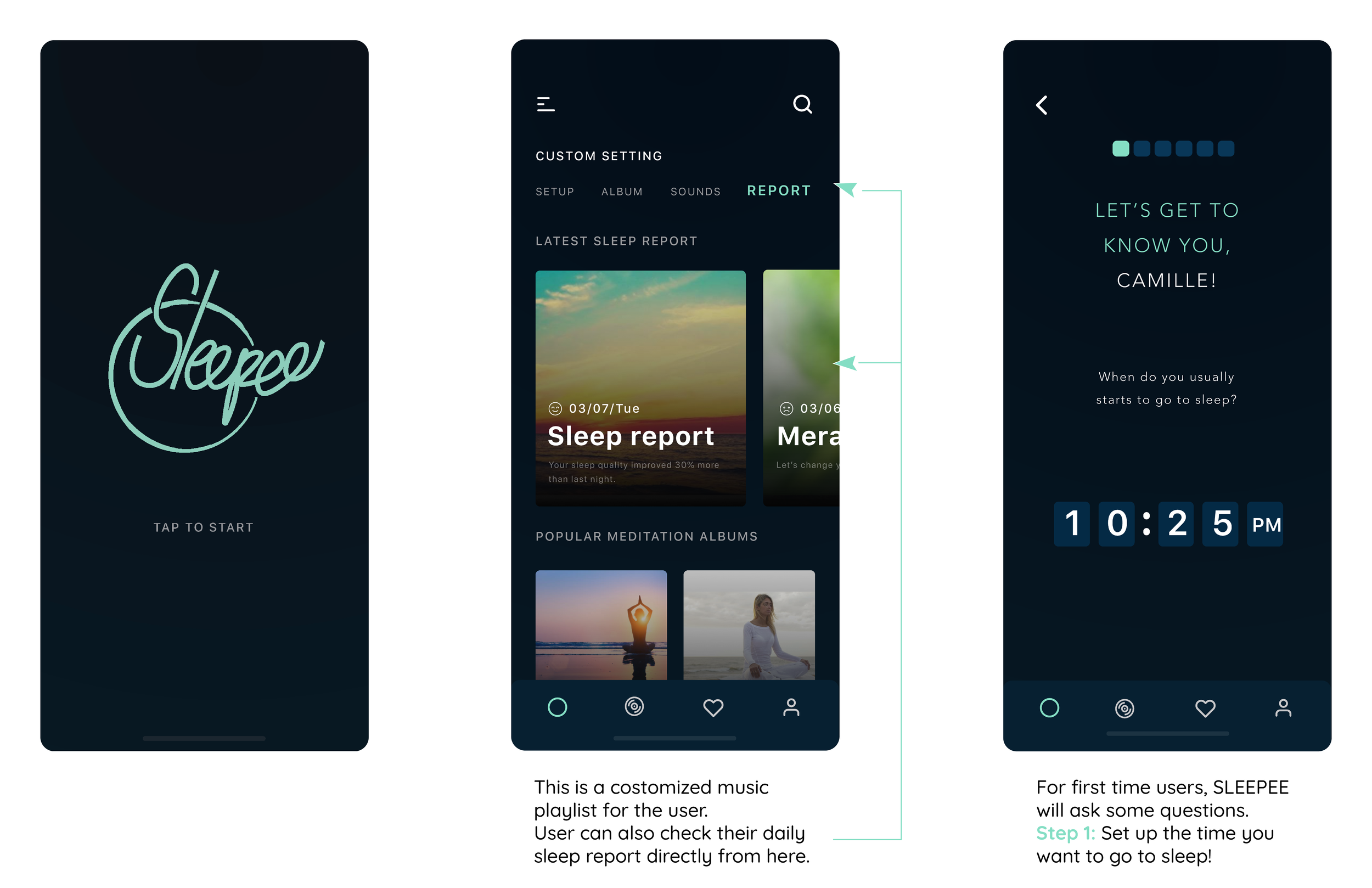
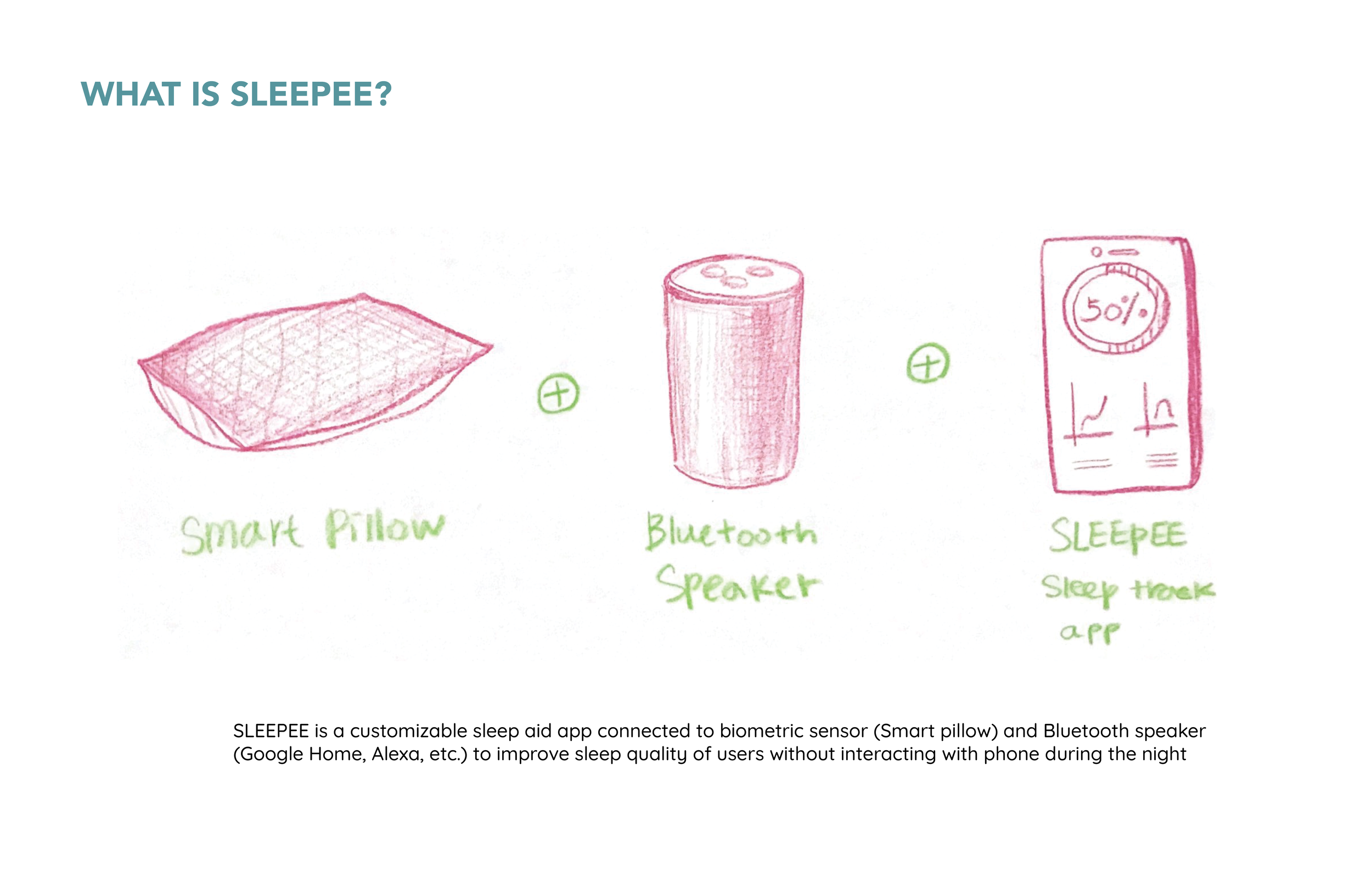
During Spring 2019 semester, I worked on three UX graduate students to improve the sleeping experience of people who have trouble falling asleep. We designed an experience that uses both application and smart devices (IoT), including smart pillow and Google home device, to assist users.
SLEEPEE
Designed by Camille Park, using Sketch, Adobe Illustrator, Photoshop, Figma,
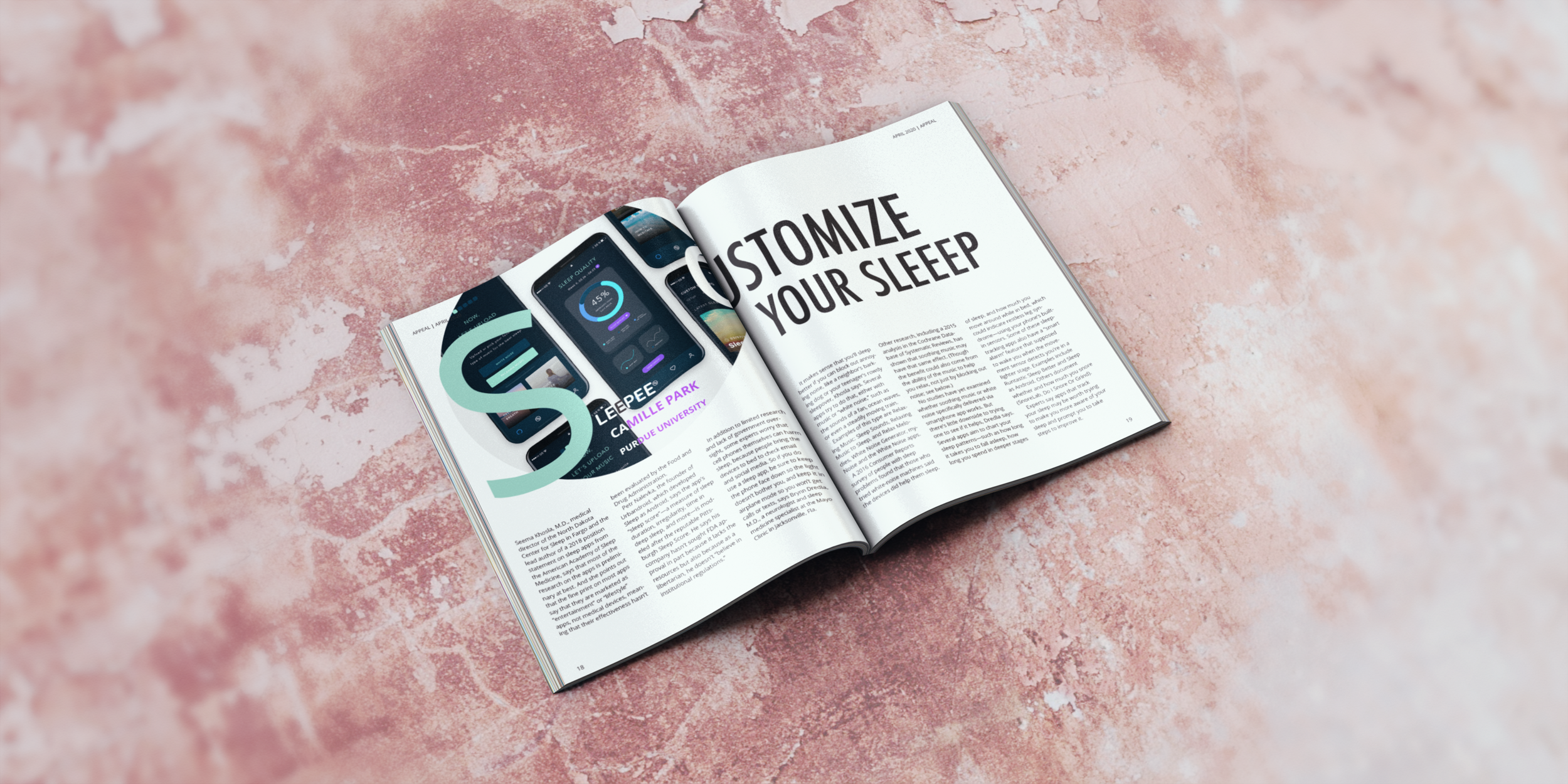
Purdue UXD Cross-Channel project :
SLEEPEE
ROLE
I lead co-design studio, interviews, and final prototyping interviews with my team. I was responsible for UI and UX design of the app, including sketching ideas, whiteboard ideations, creating low and mid-fidelity prototypes, hi-fidelity mockups, as well as final application design.
TEAM
Chorong (Camille) Park, Anushka Jain, Benjamin Frailey, Colin Mulron, Dr. Austin Toombs (Advisor)
TOOL USED
Sketch, Figma, Adobe Illustrator, Photoshop, Quick Time Screen Record
PROBLEM STATEMENT
KEY INSIGHTS FROM INTERVIEWS
Users want a product that helps them to fall asleep easily, which also helps them to improve their sleep habits and qualities at the same time.
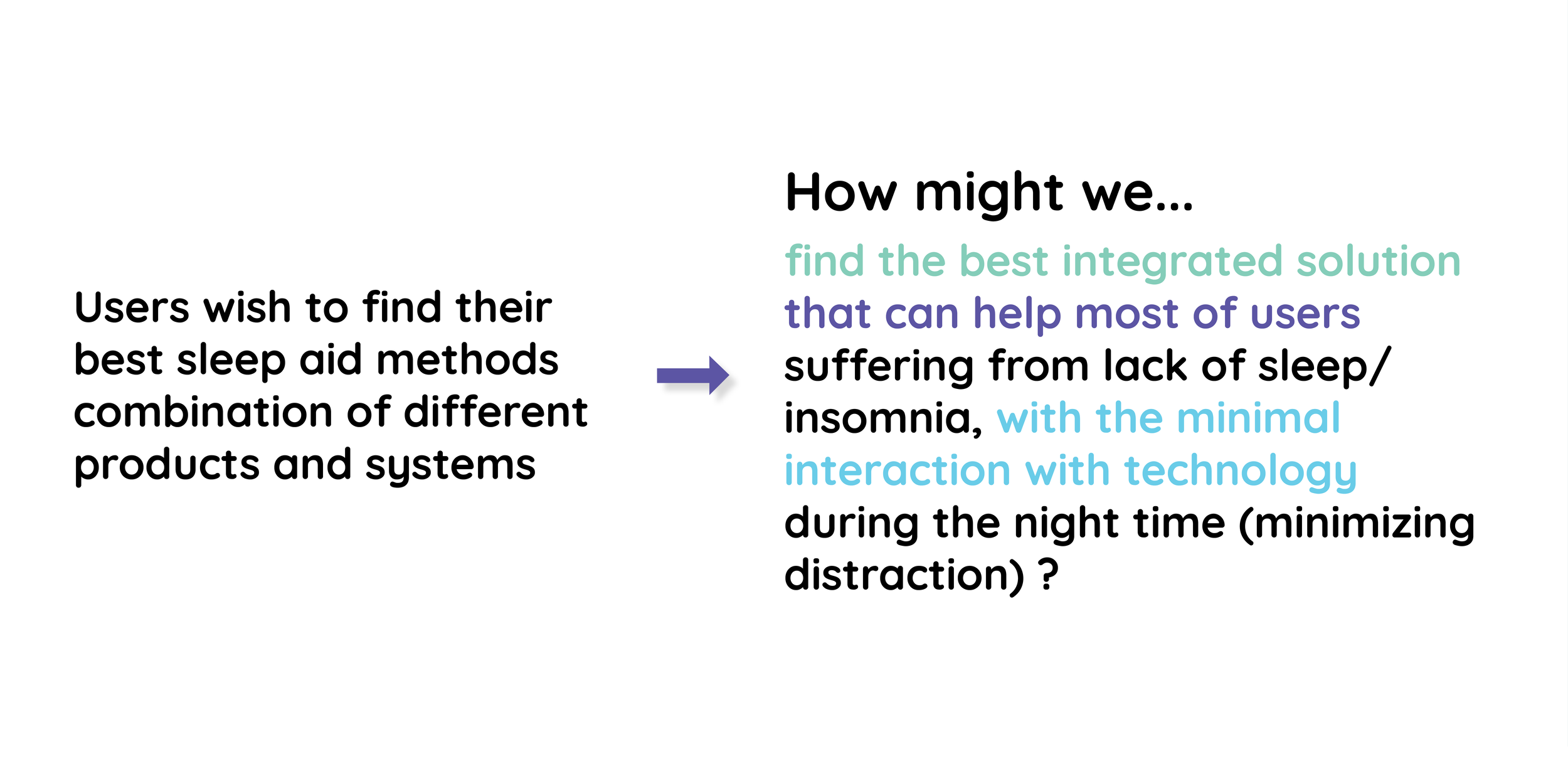
How do we improve the sleeping experience of people who have trouble falling asleep using both applications and IoT?
OUR APPROACH
We conducted four interview sessions regarding different user activities to gather data from various ages, job statuses, and ethnicities of users. We also collected information on sleep patterns, habits, the type of tools (applications/sounds machines/headphones…etc.) participants have used, and their sleep sensitivity over noises.
DEFINE USER’S NEEDS AND FIND THE BEST SOLUTION
OUR SOLUTION: SLEEPEE
After testing our final prototype with 4 different participants, we polished and finalized our solution with a hi-fi prototype and storyboard.
SLEEPEE STORYBOARD
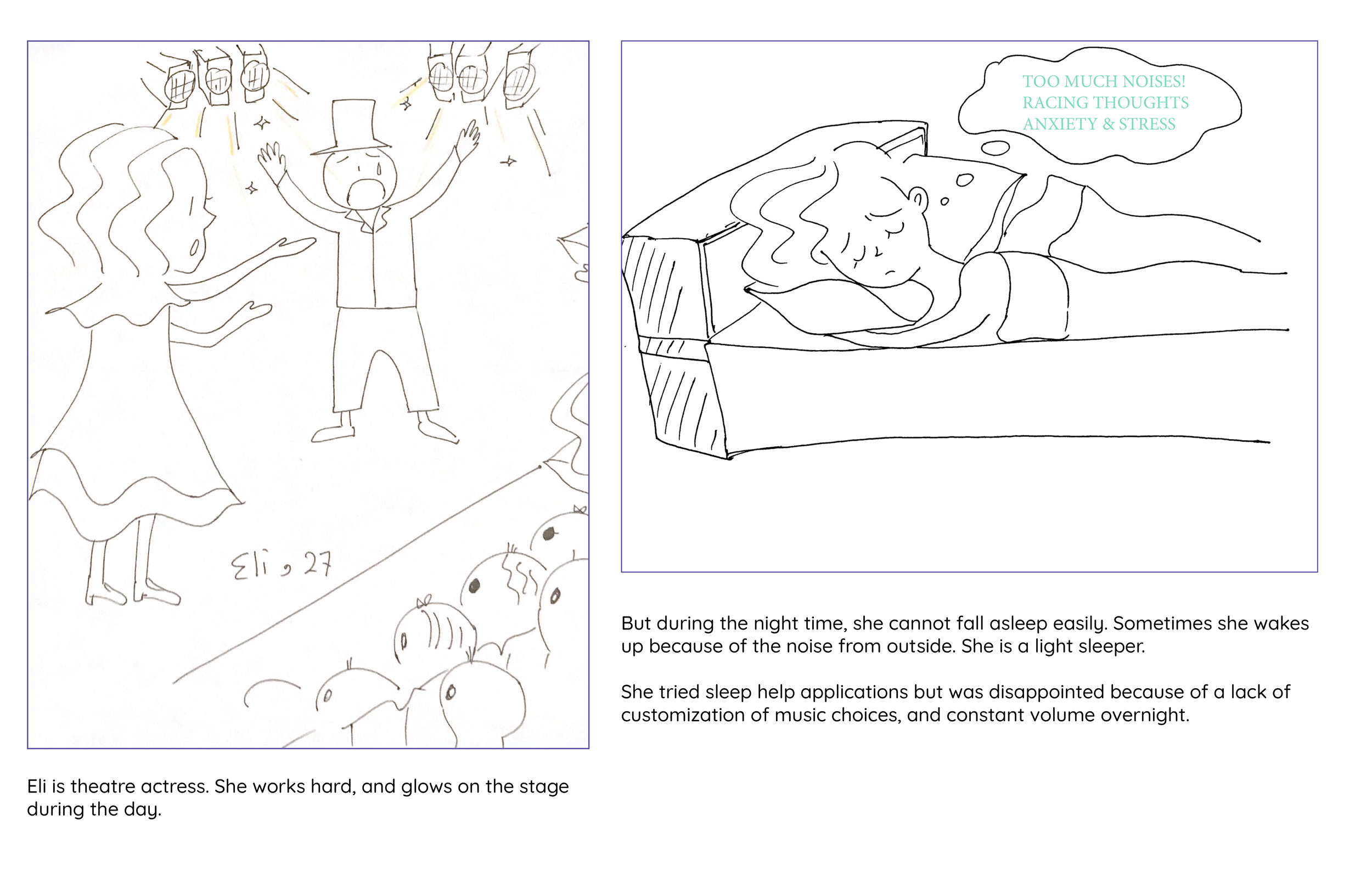
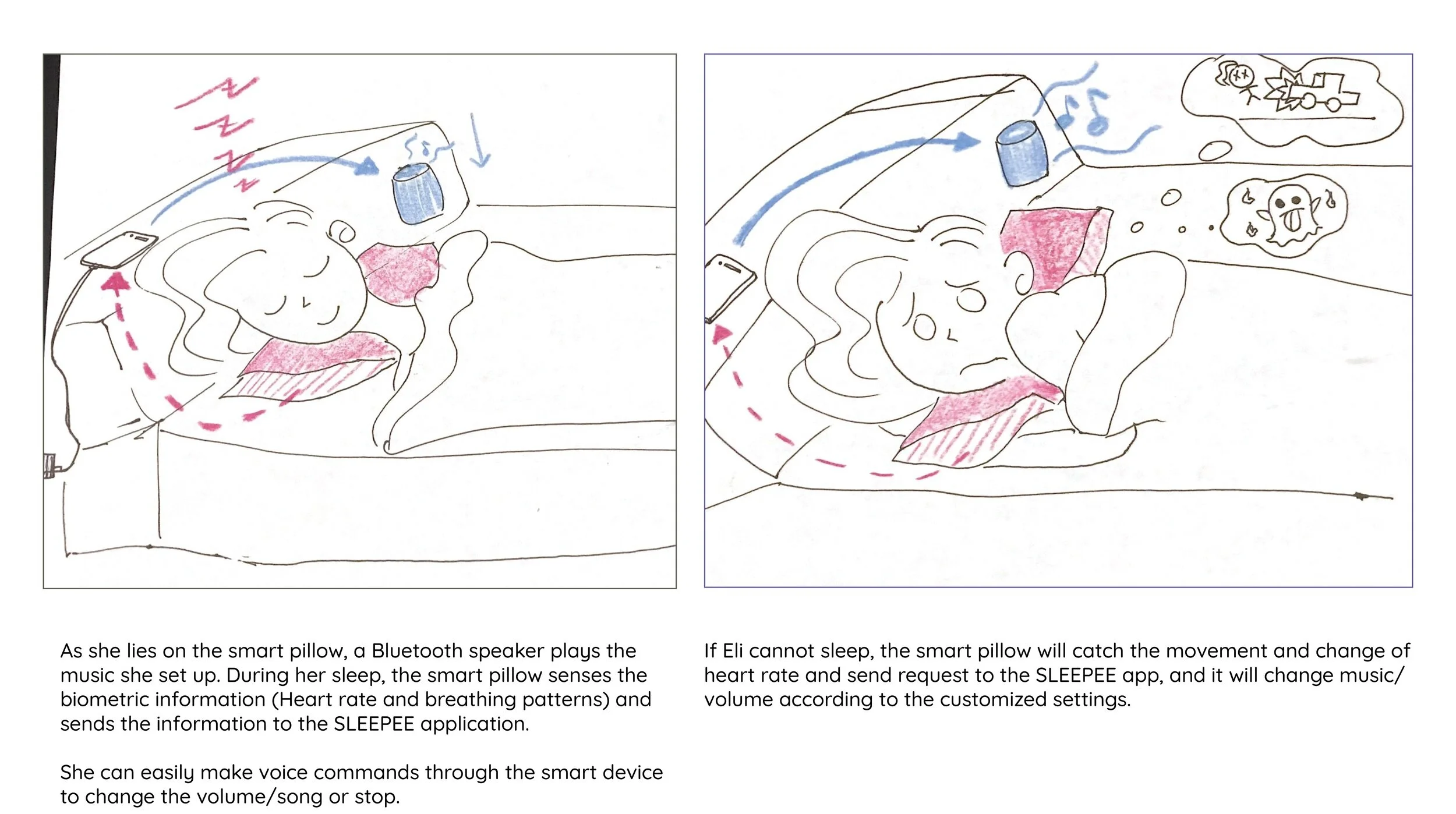
Also, Eli can use a voice command on the Bluetooth speaker (Alexa, Google home) to turn off the music or turn down the volume.
FINAL SLEEPEE APPLICATION DESIGN VIDEO
(INDIVIDUAL PROJECT BY CAMILLE PARK)
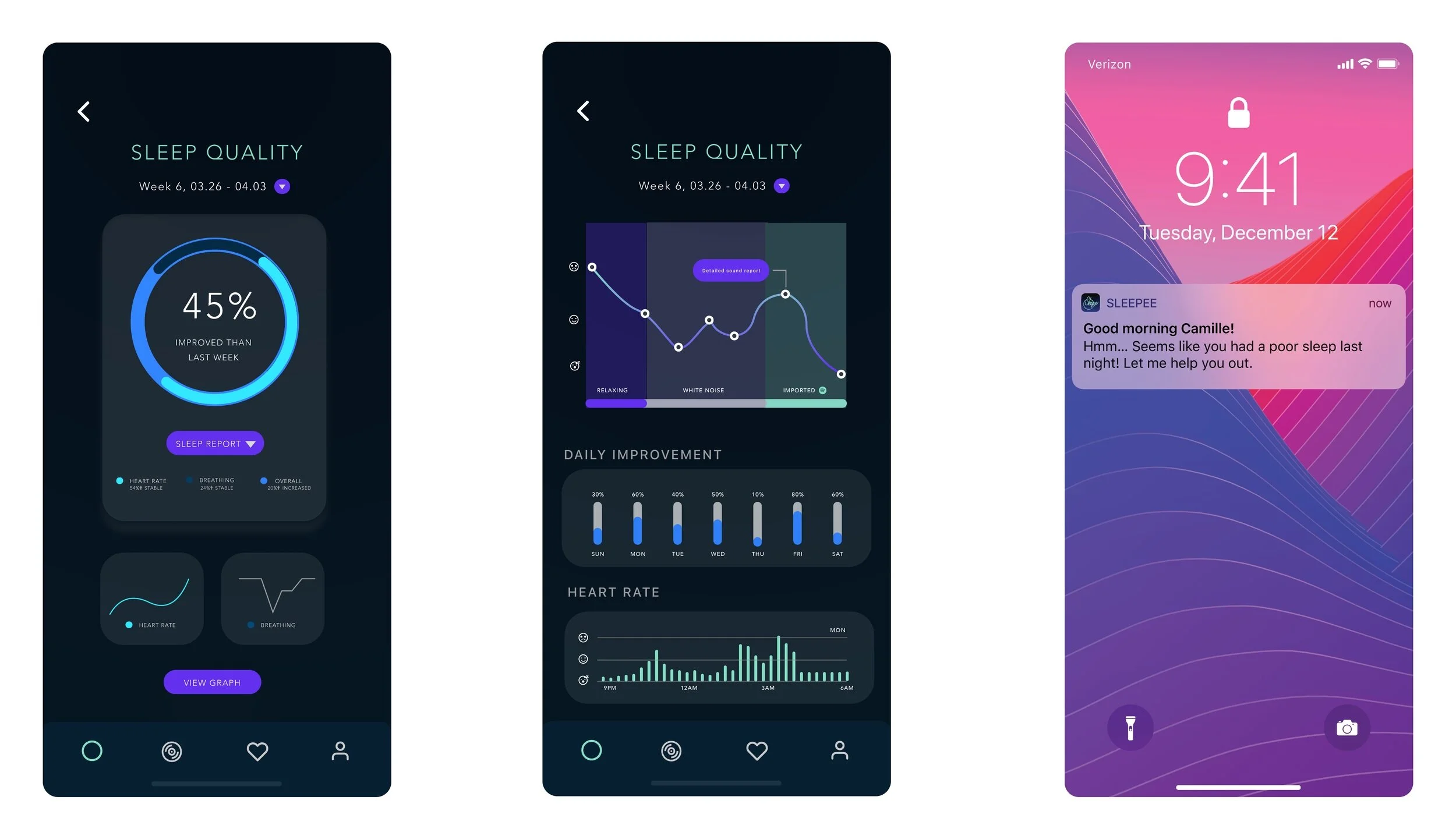
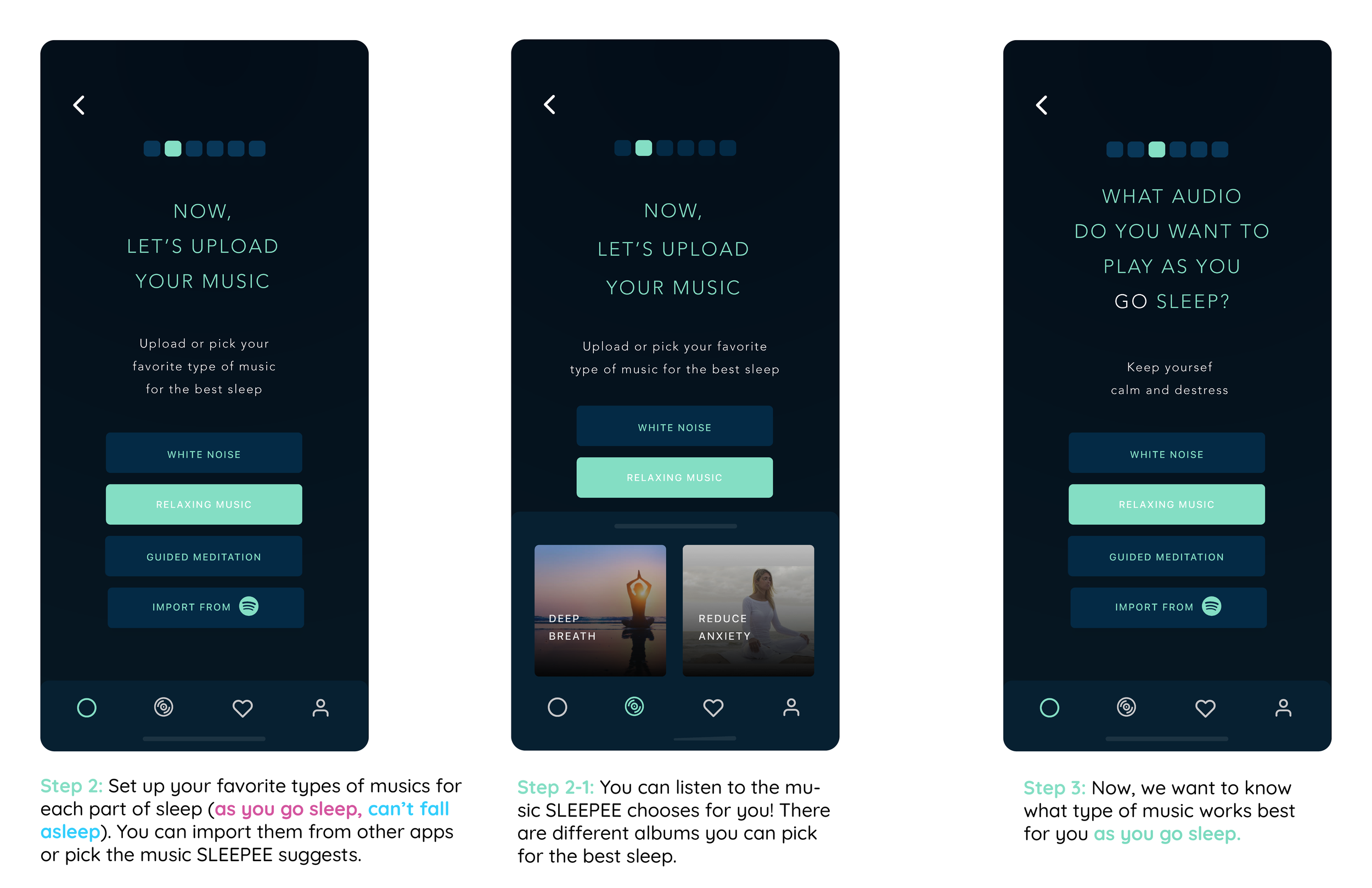
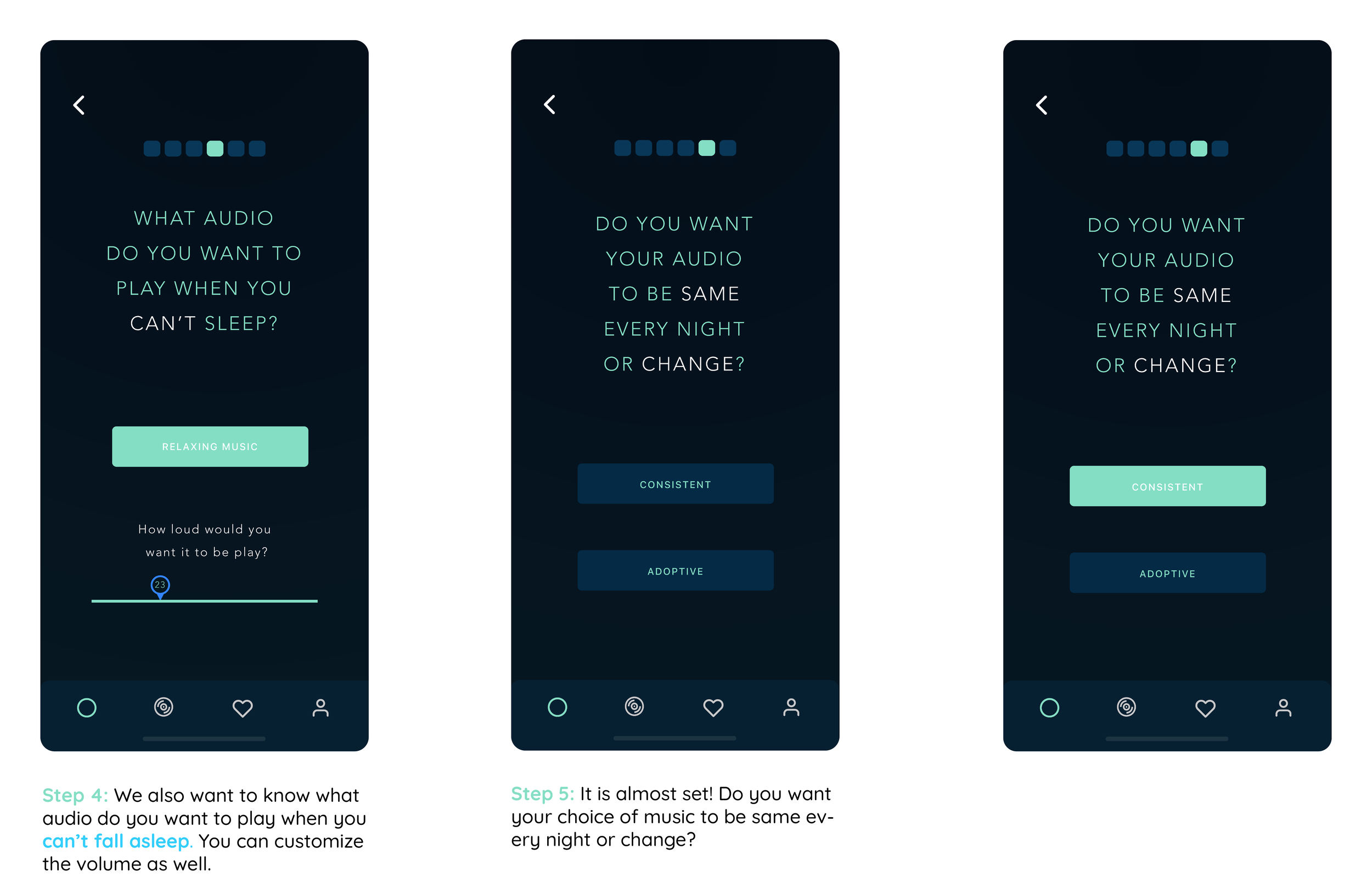
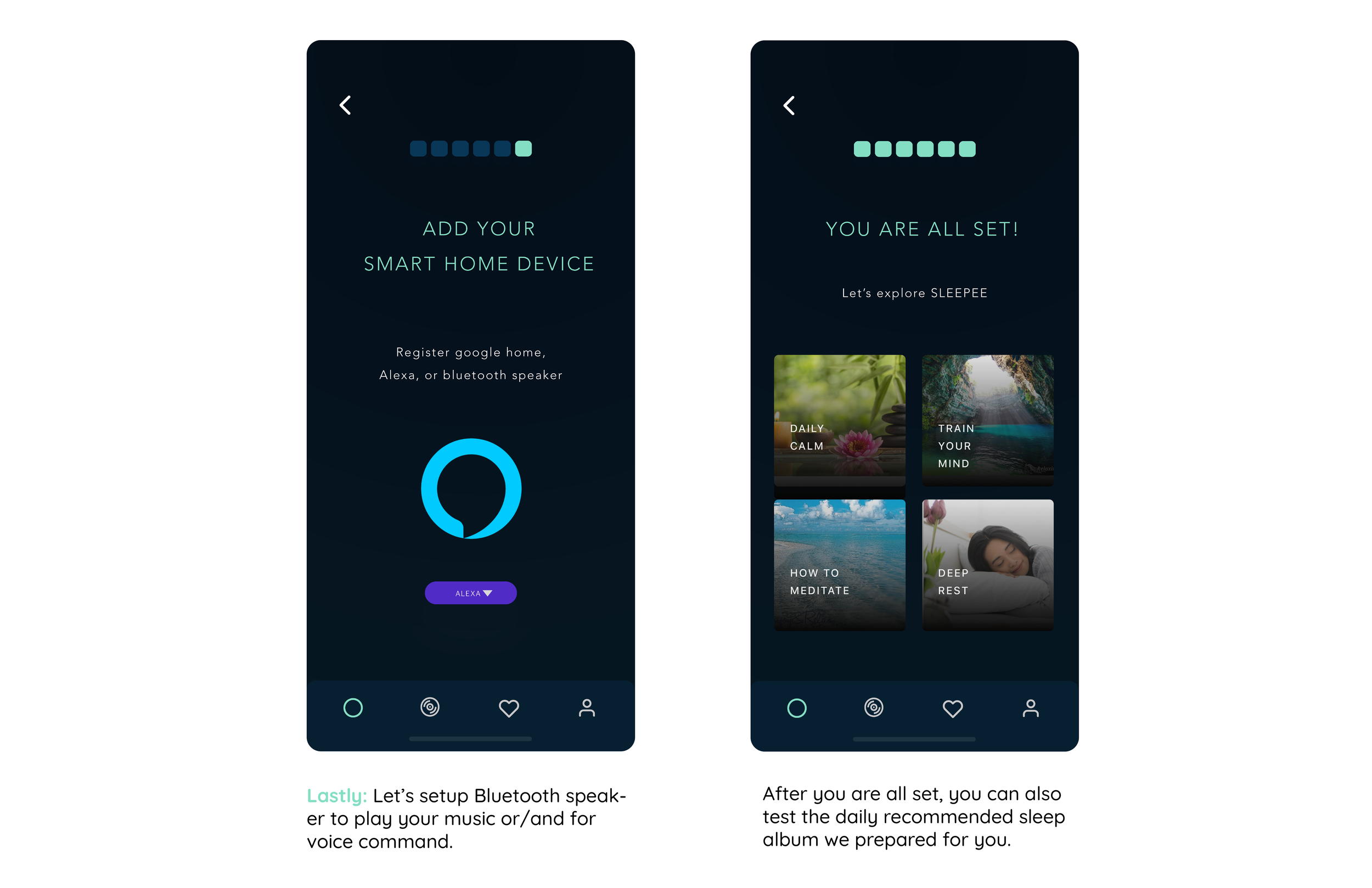
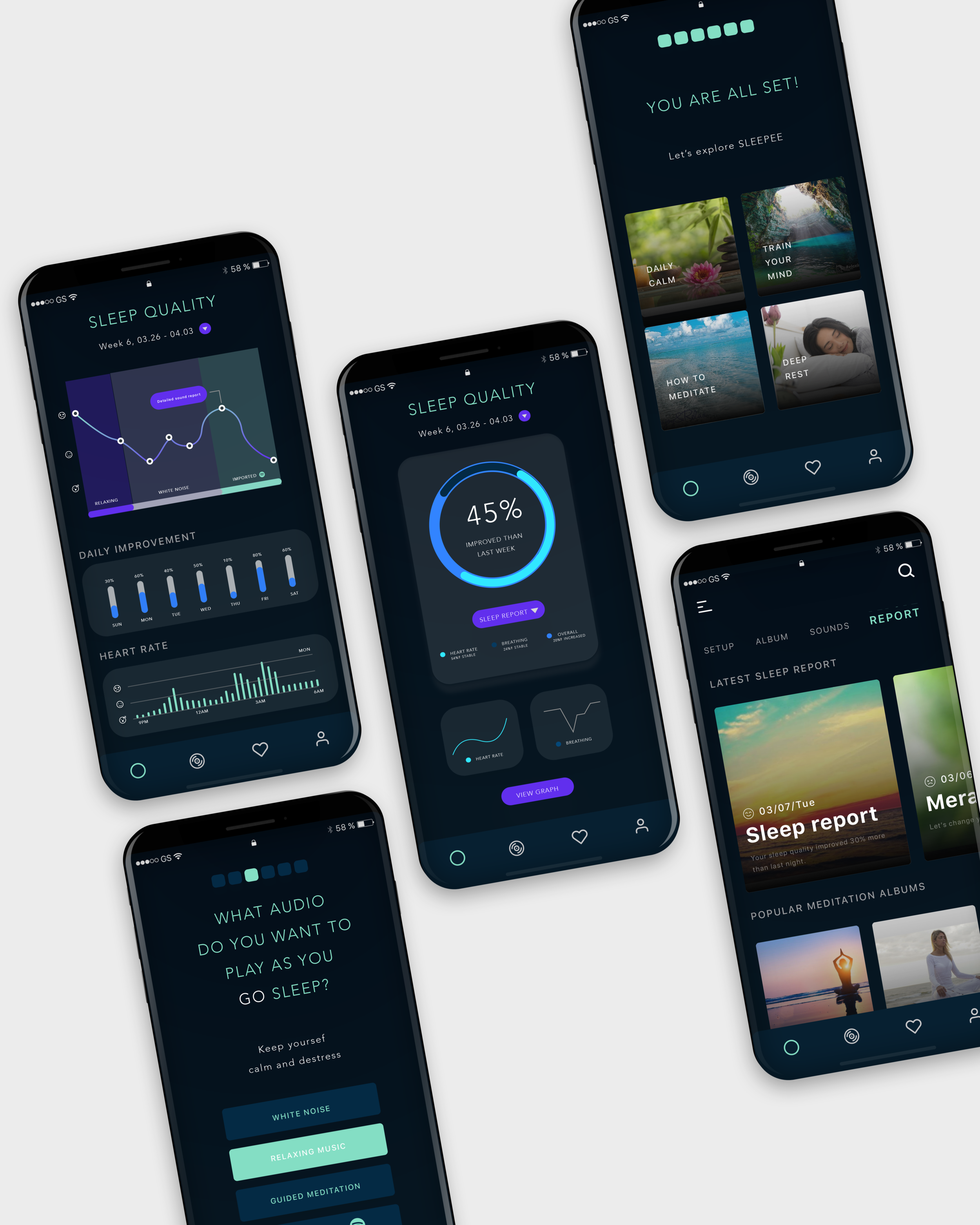
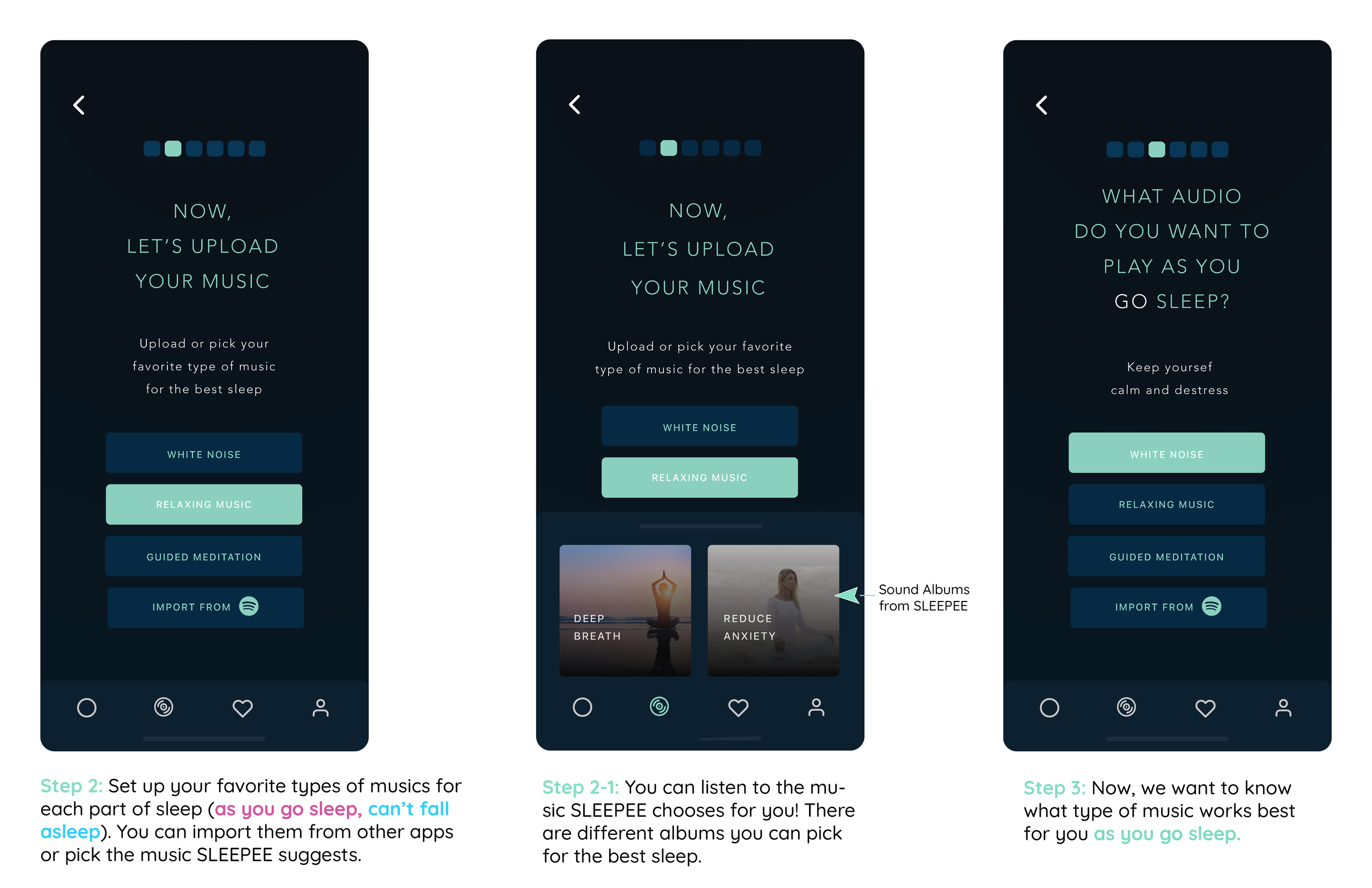
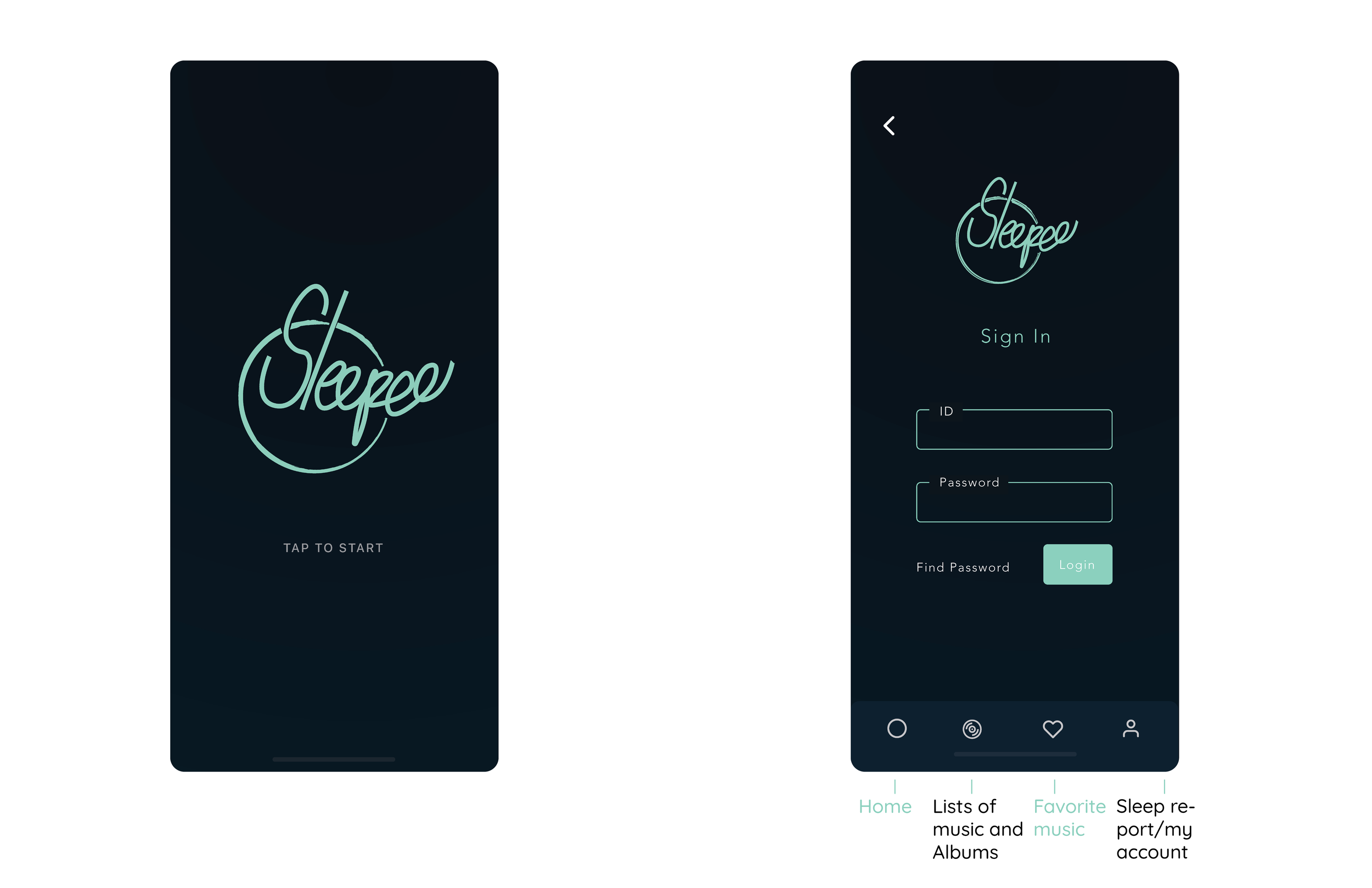
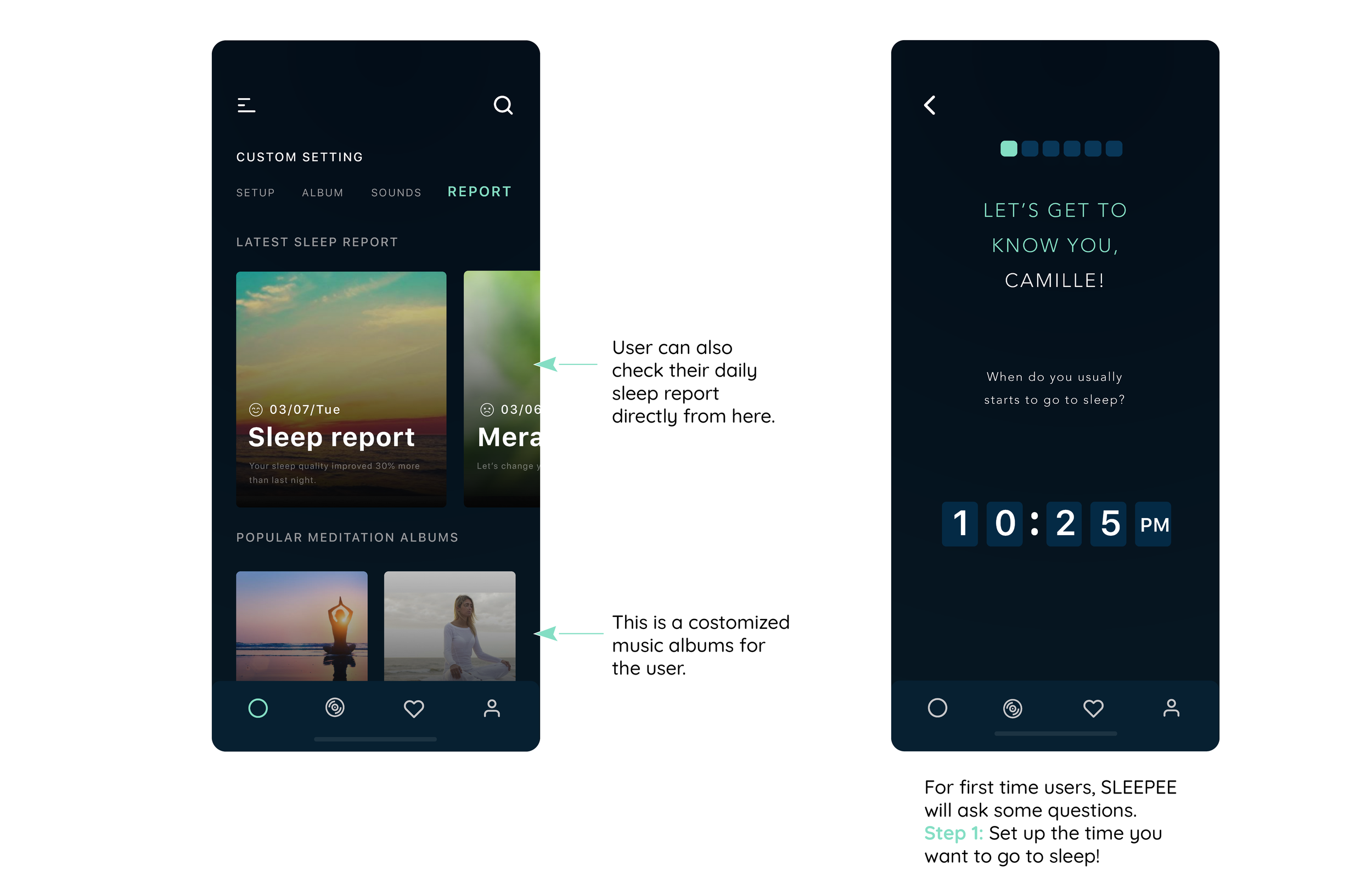
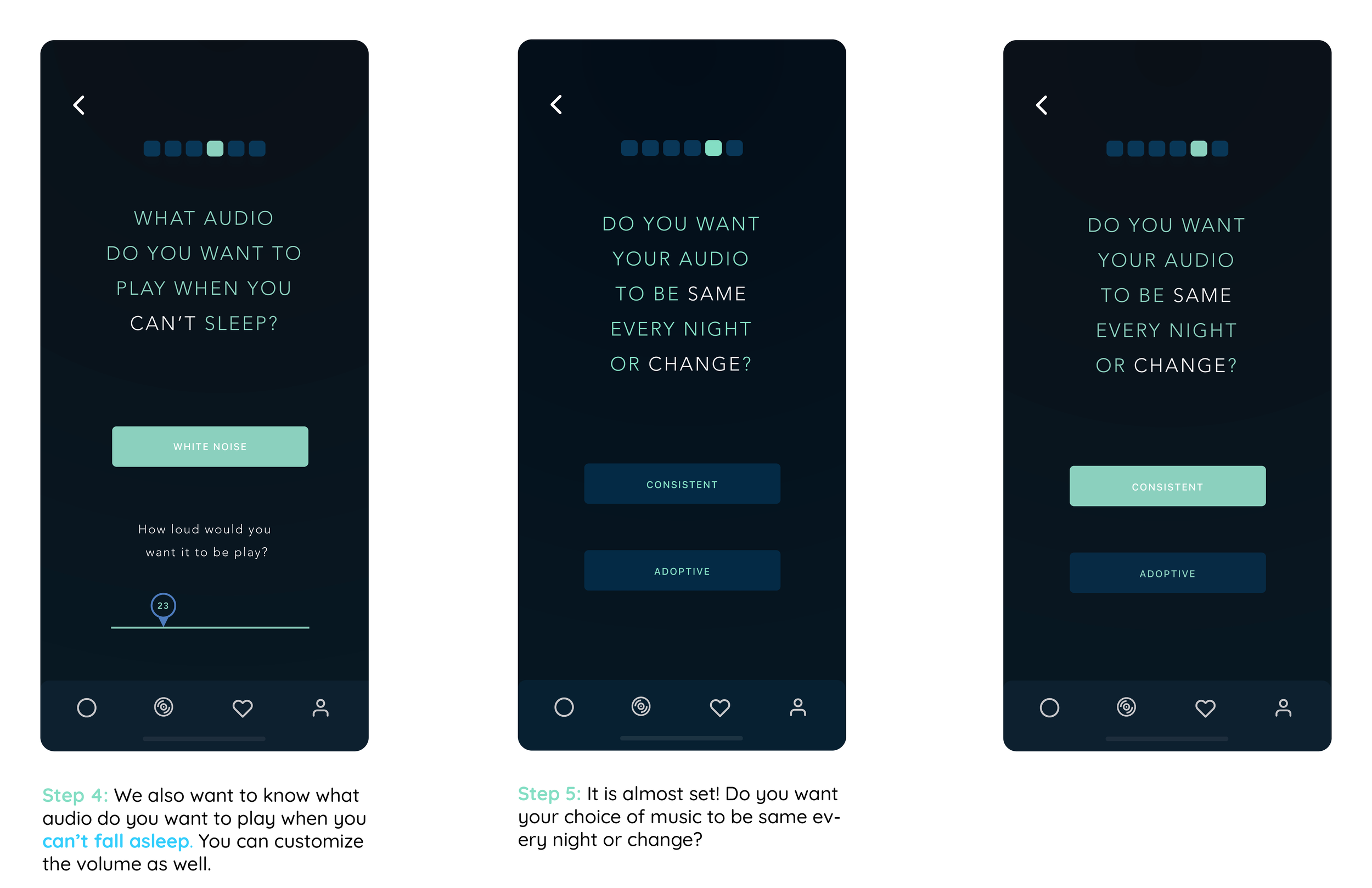
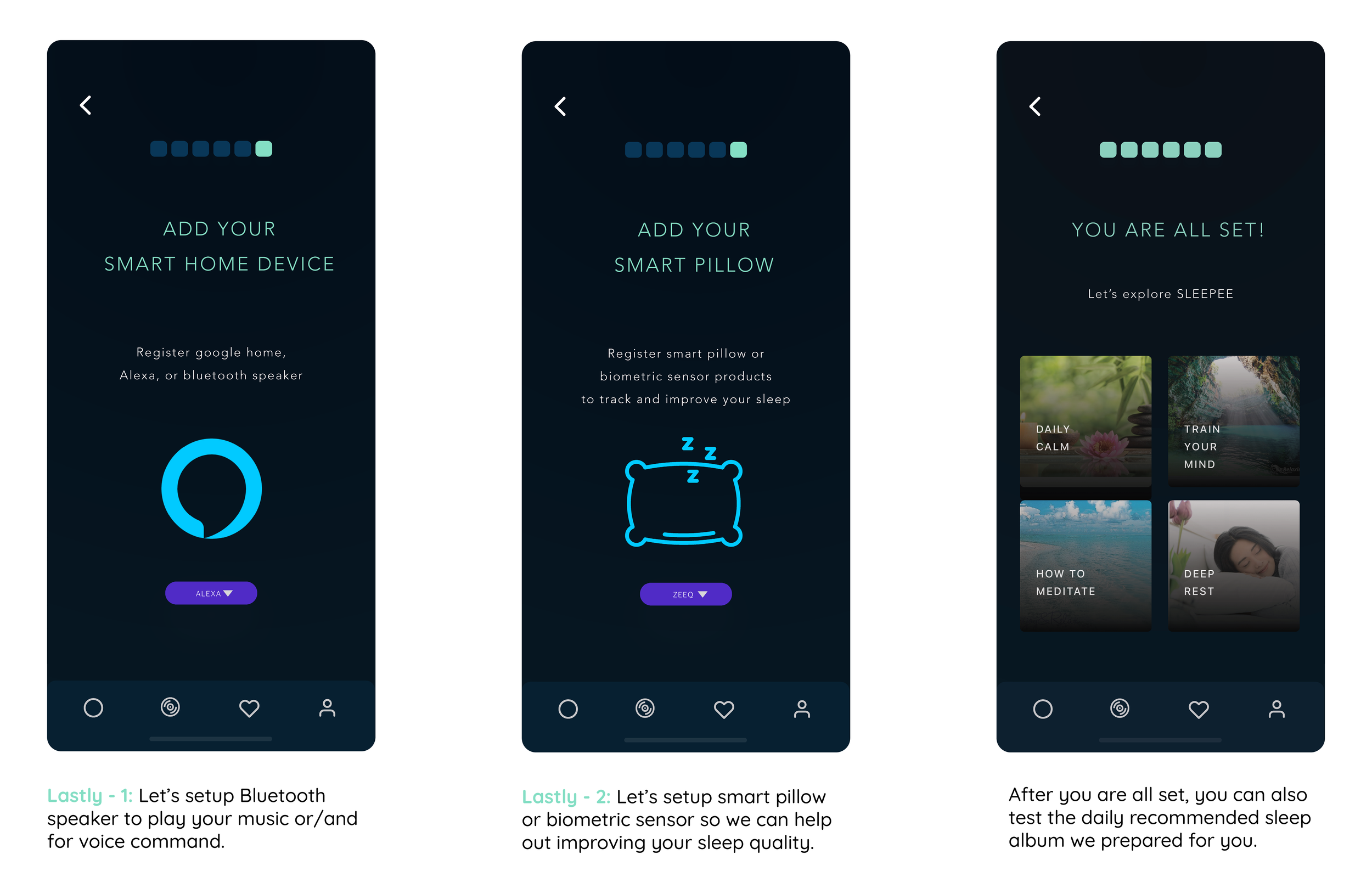
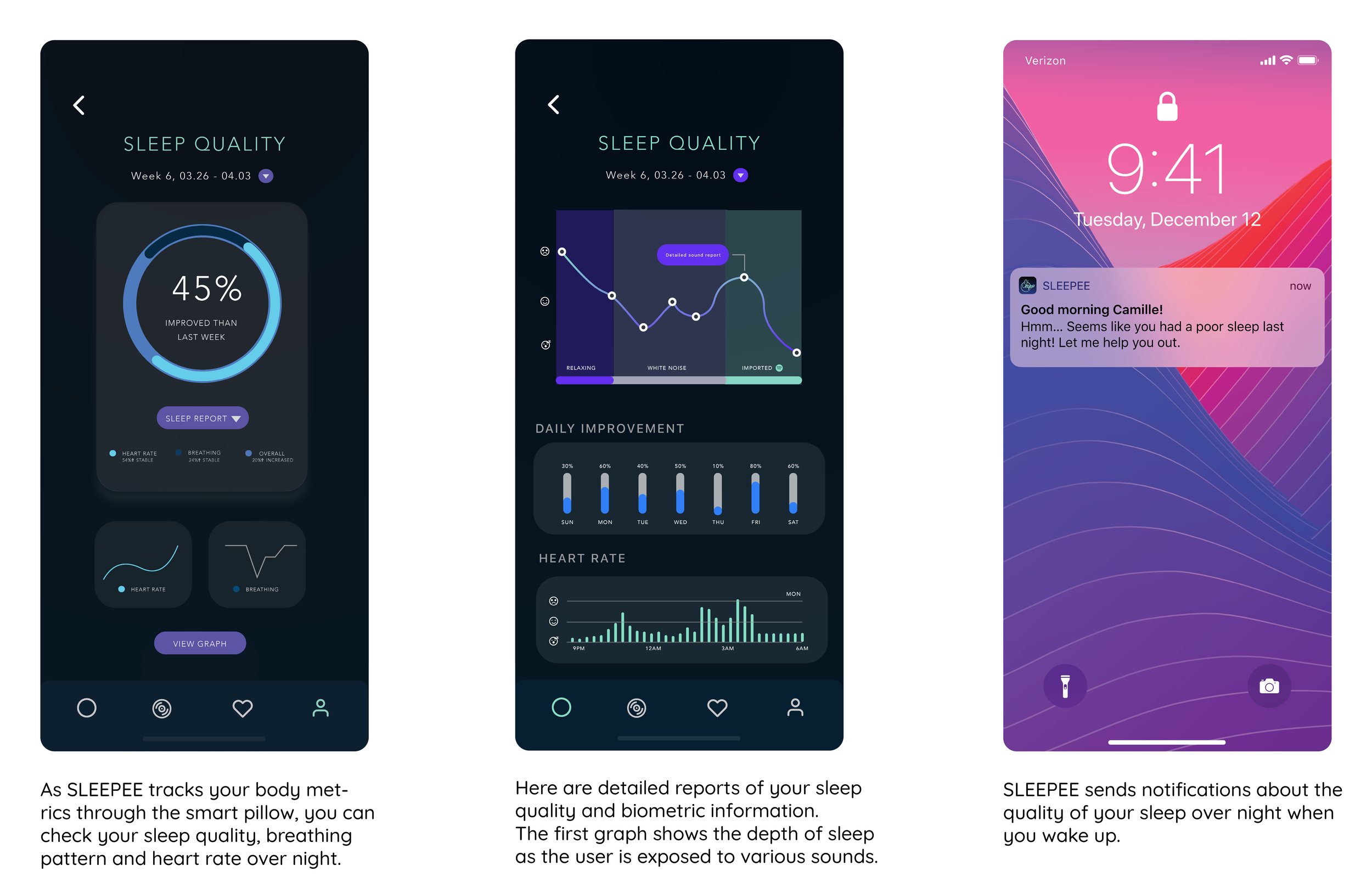
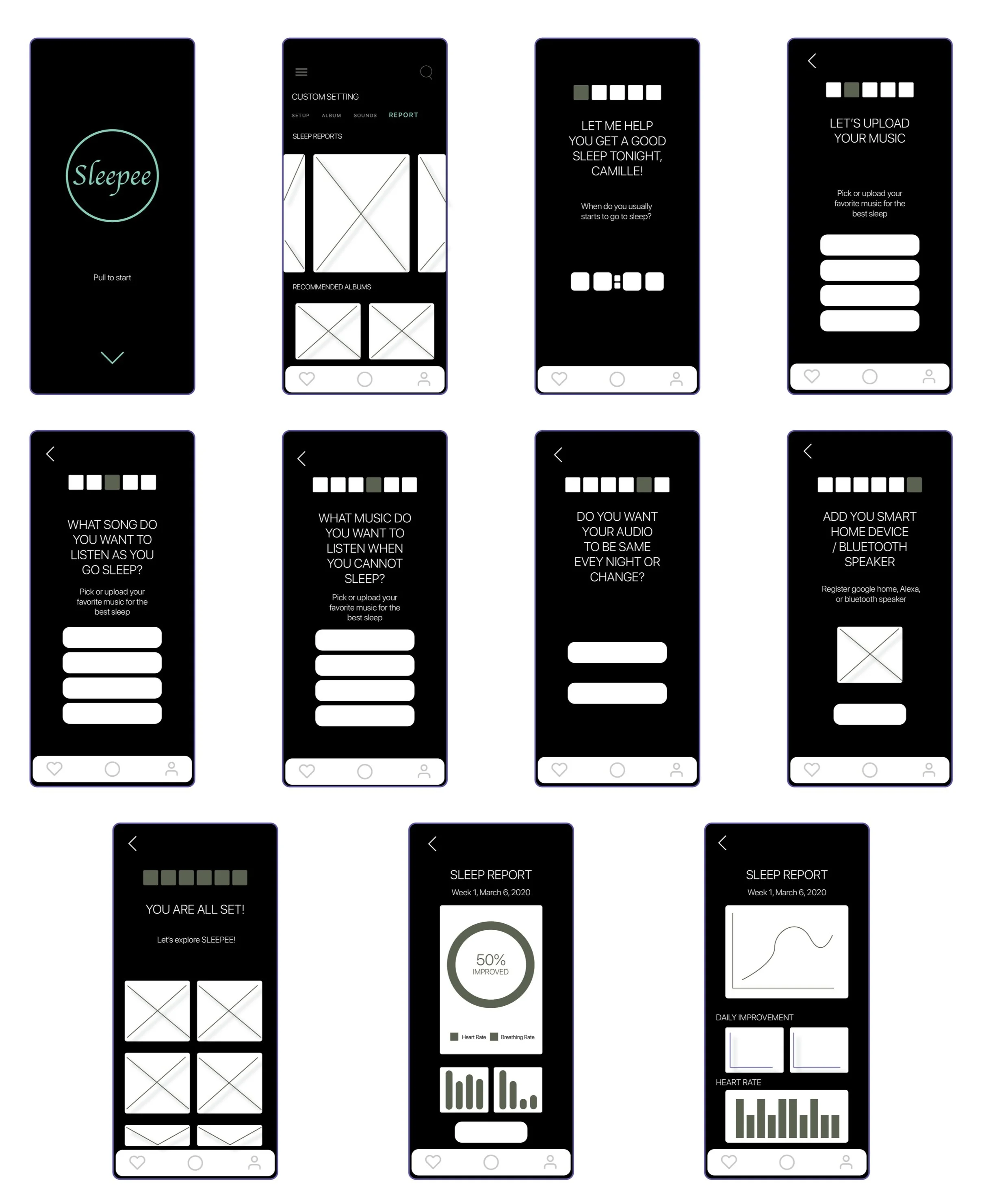
DETAILED SHOT OF APPLICATION DESIGN
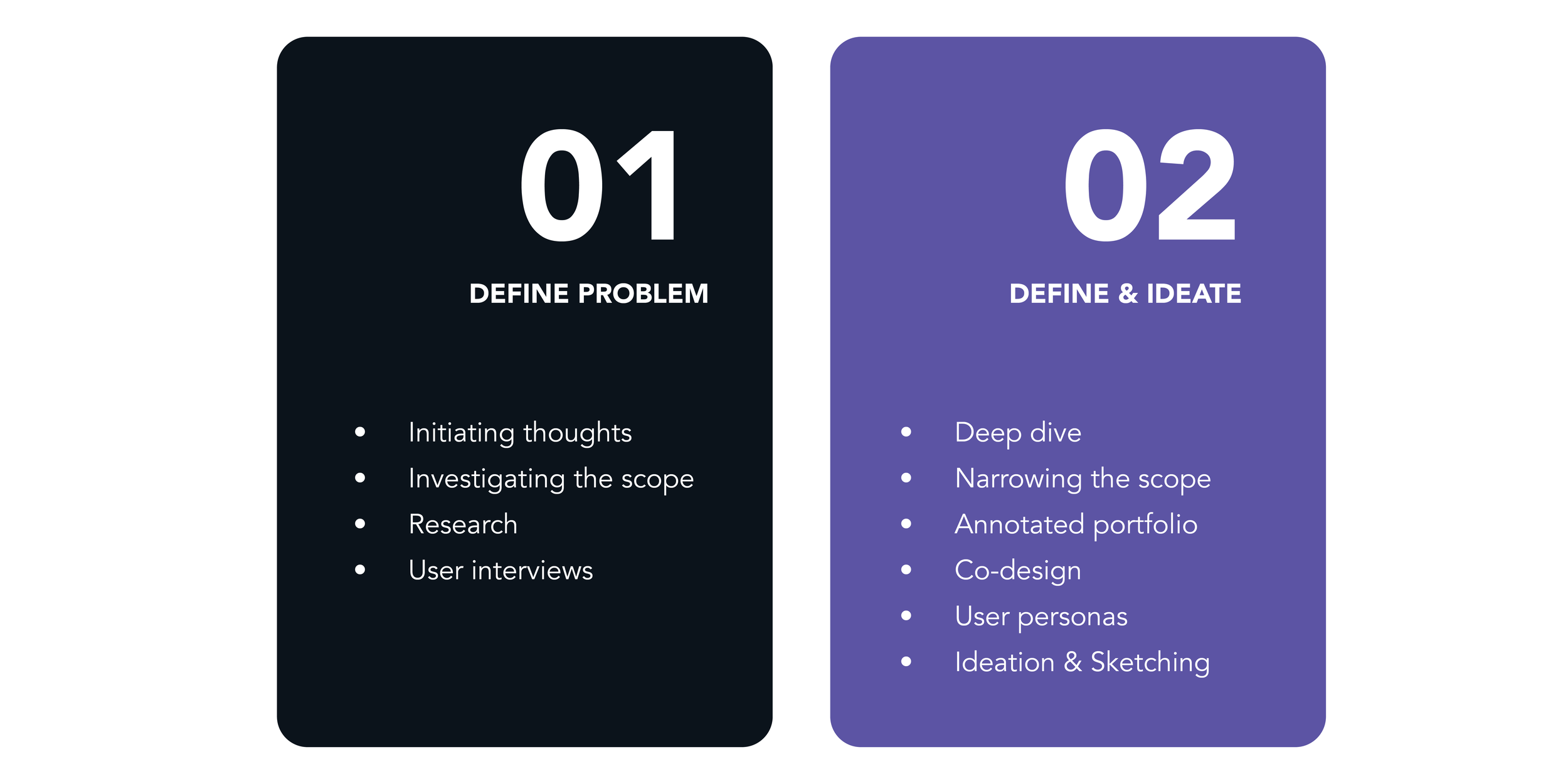
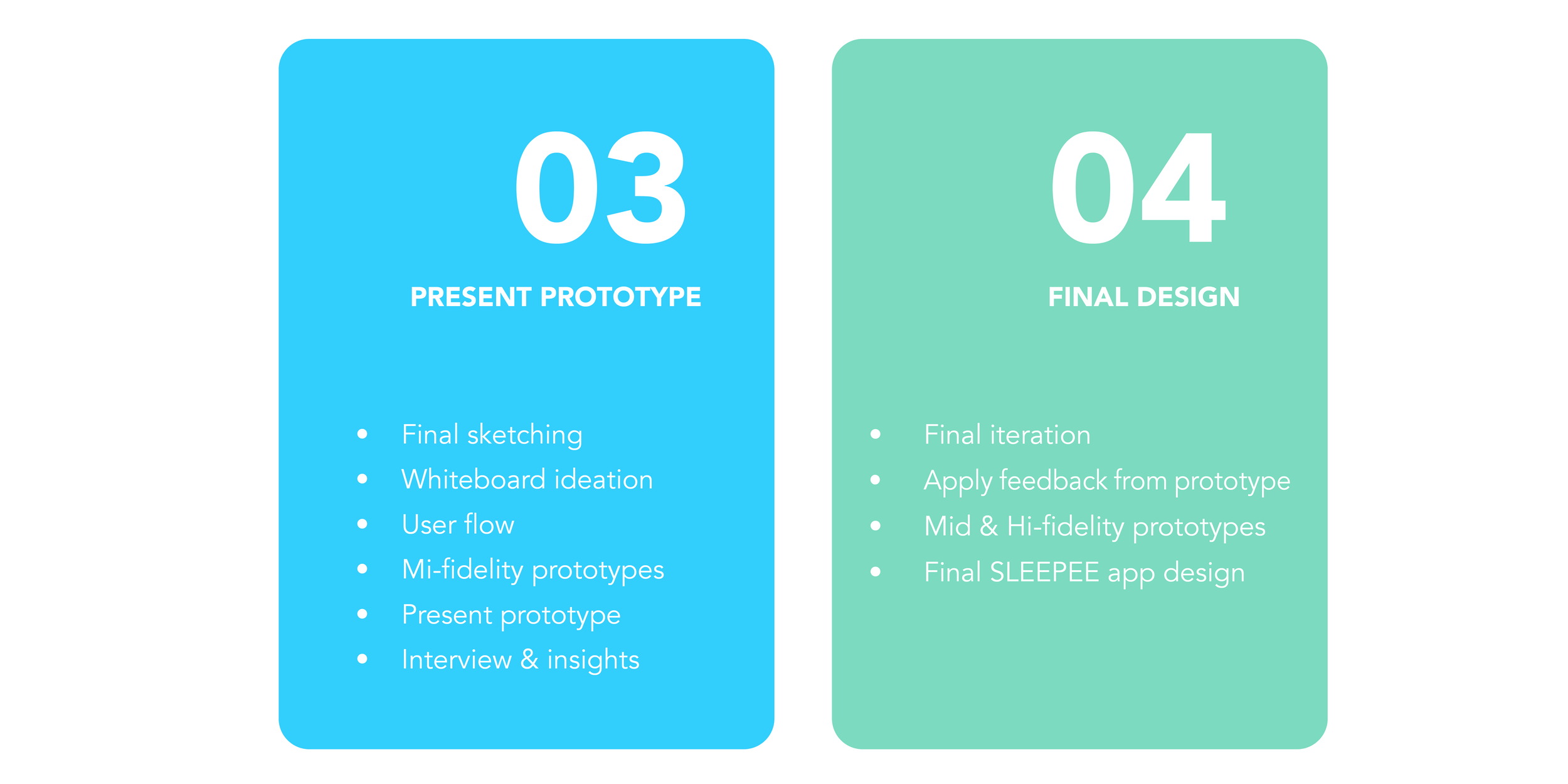
PROJECT PROCESS
PERSONAL DEVELOPED BASED ON INTERVIEWS

Click to see bigger img
FINAL PROTOTYPE TESTING
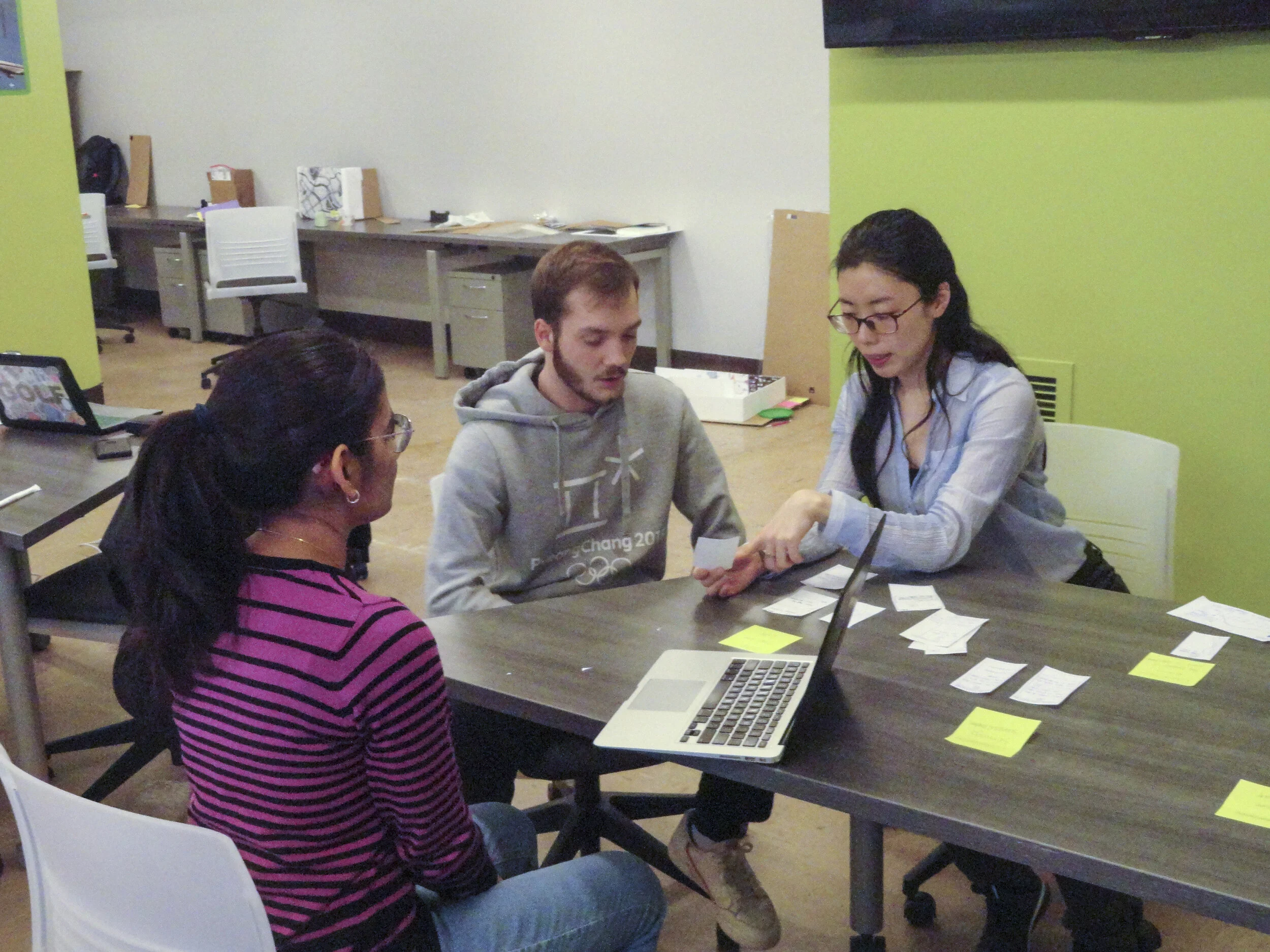
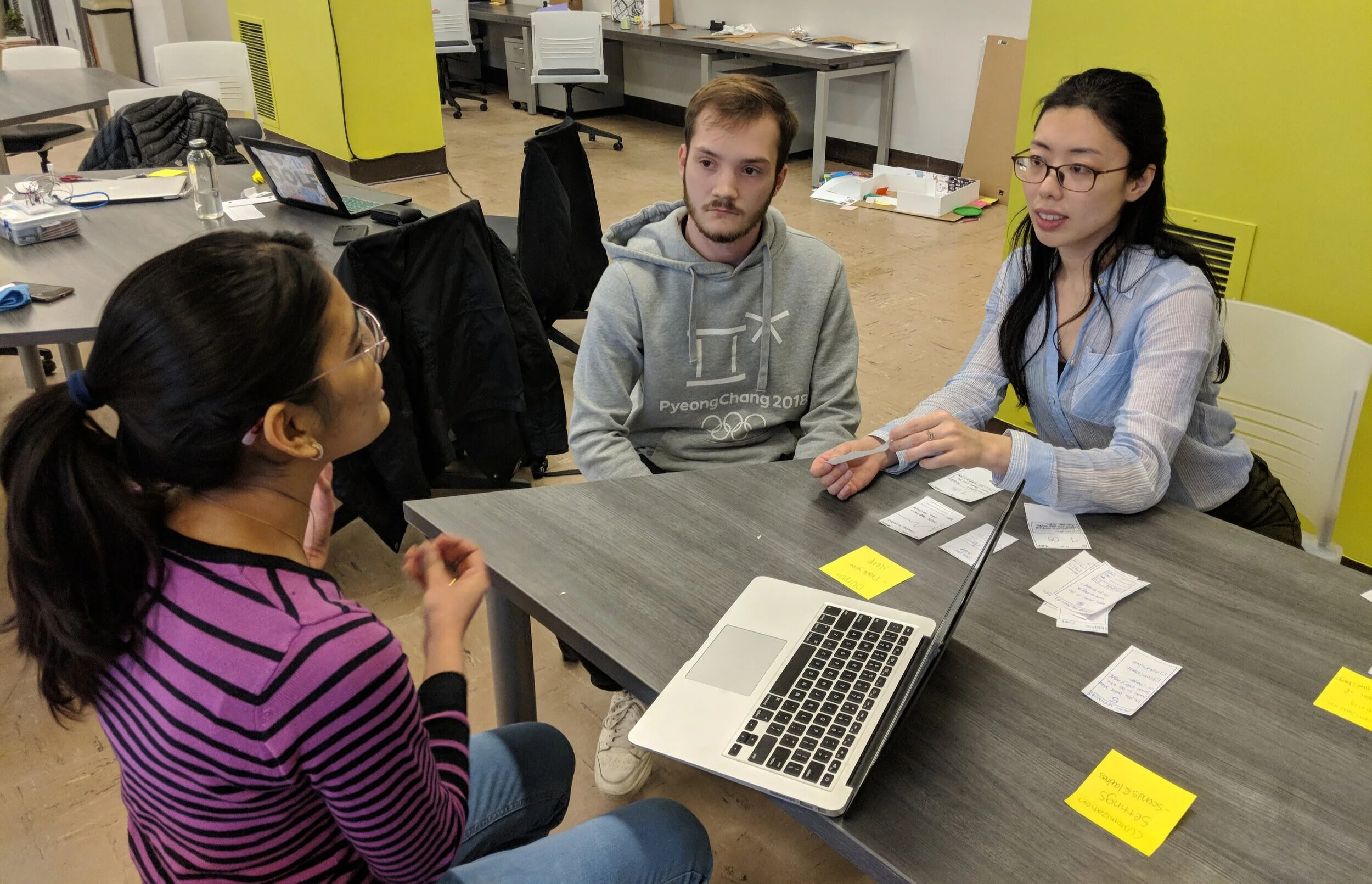
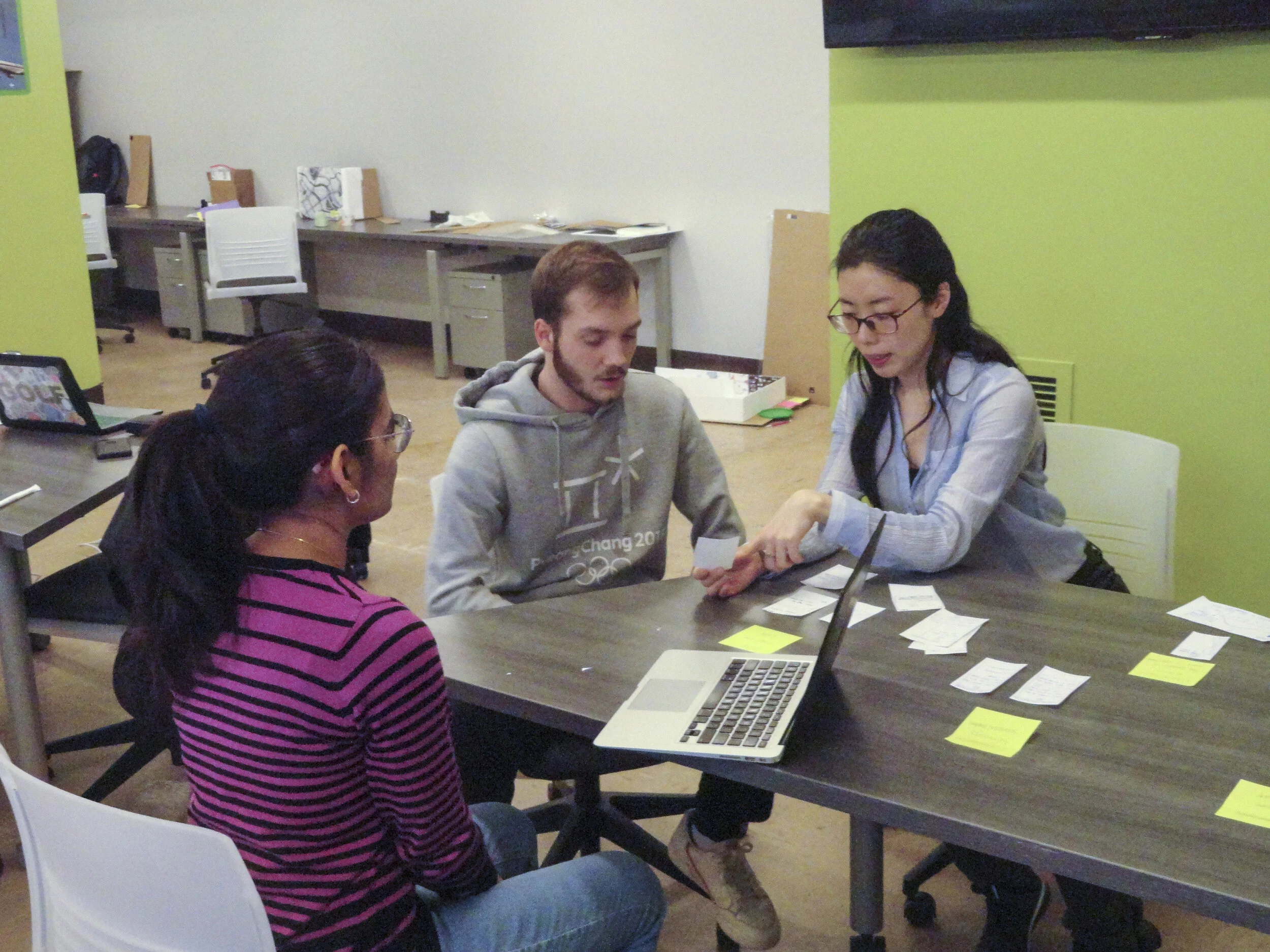
Application walkthrough with participants 1
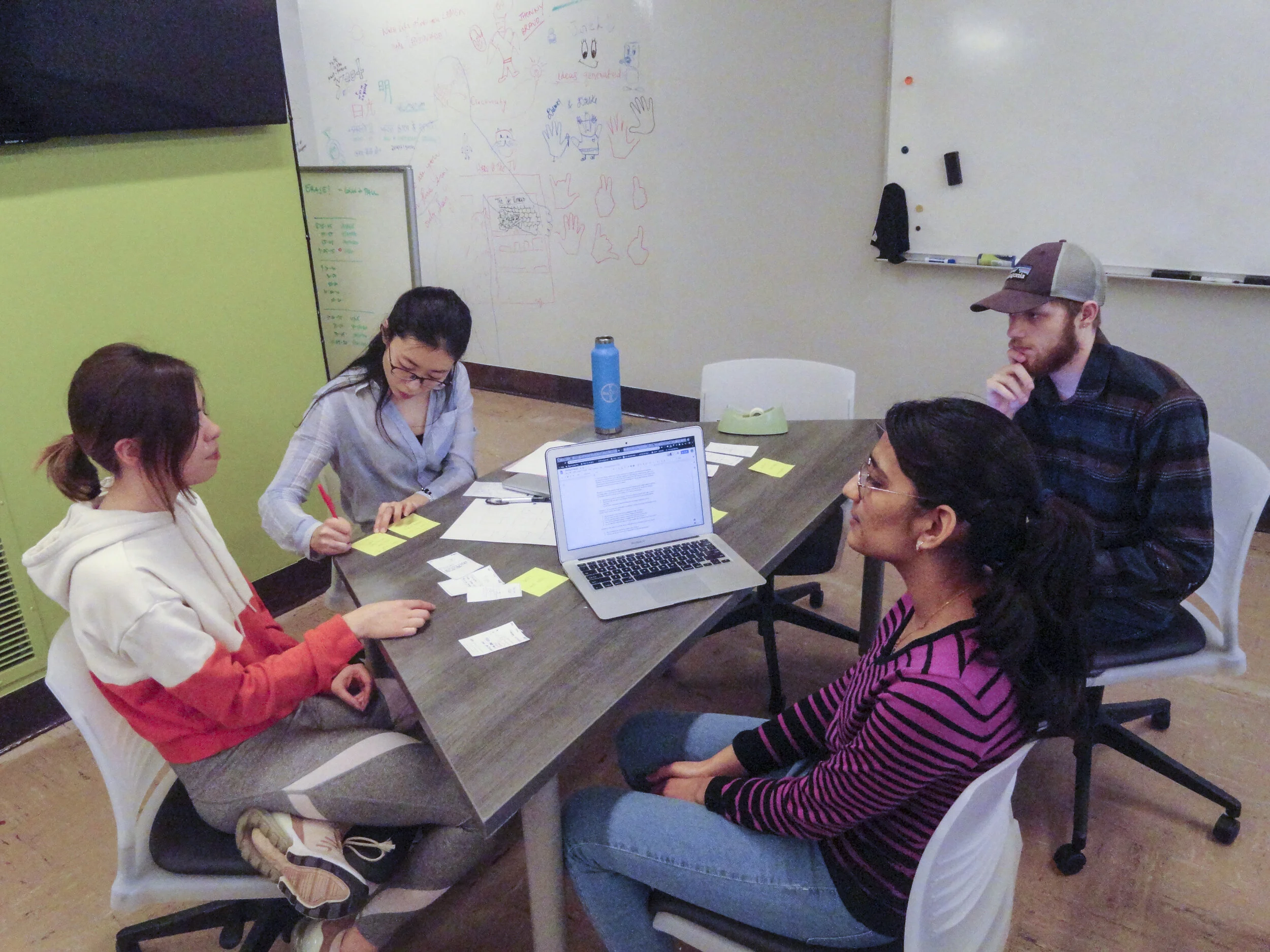
Receiving feedback from participants 2
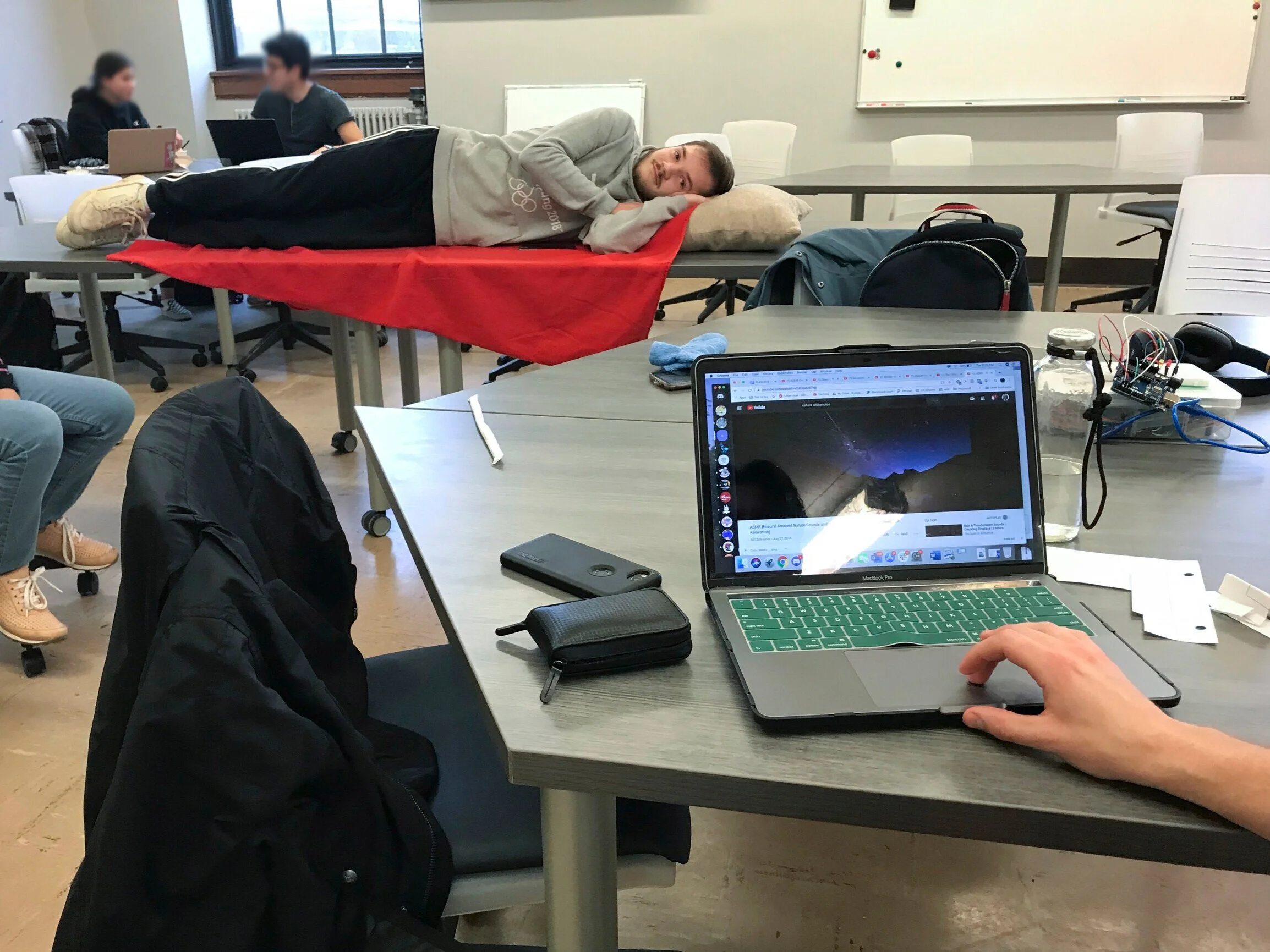
Wizard of Oz testing: Set up the music participants wanted to hear by the phase of the sleep detected by the smart pillow and change the music based on the participant’s sleep stage.
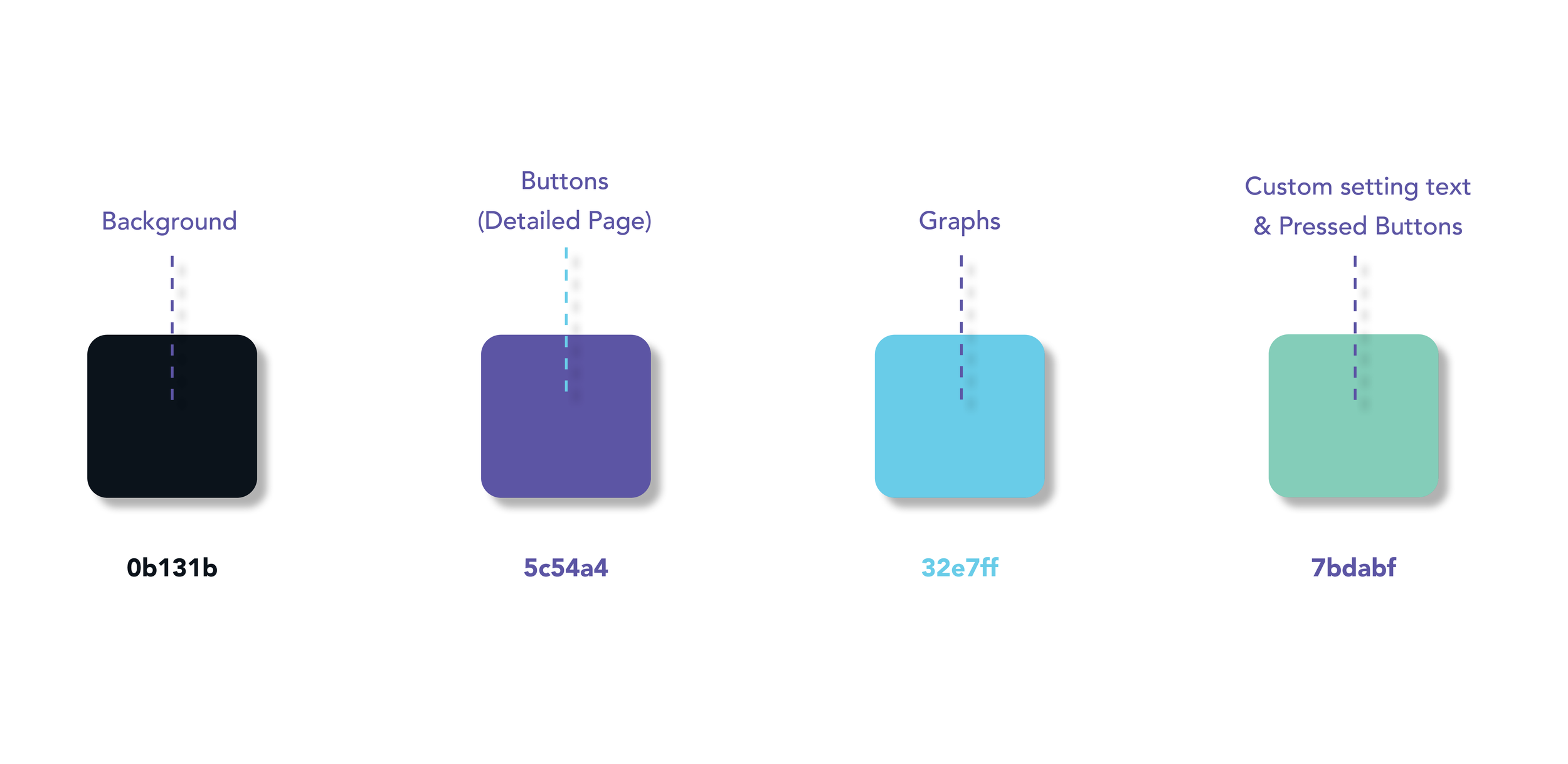
COLOR PALETTES FOR SLEEPEE APPLICATION
MID-FI PROTOTYPE
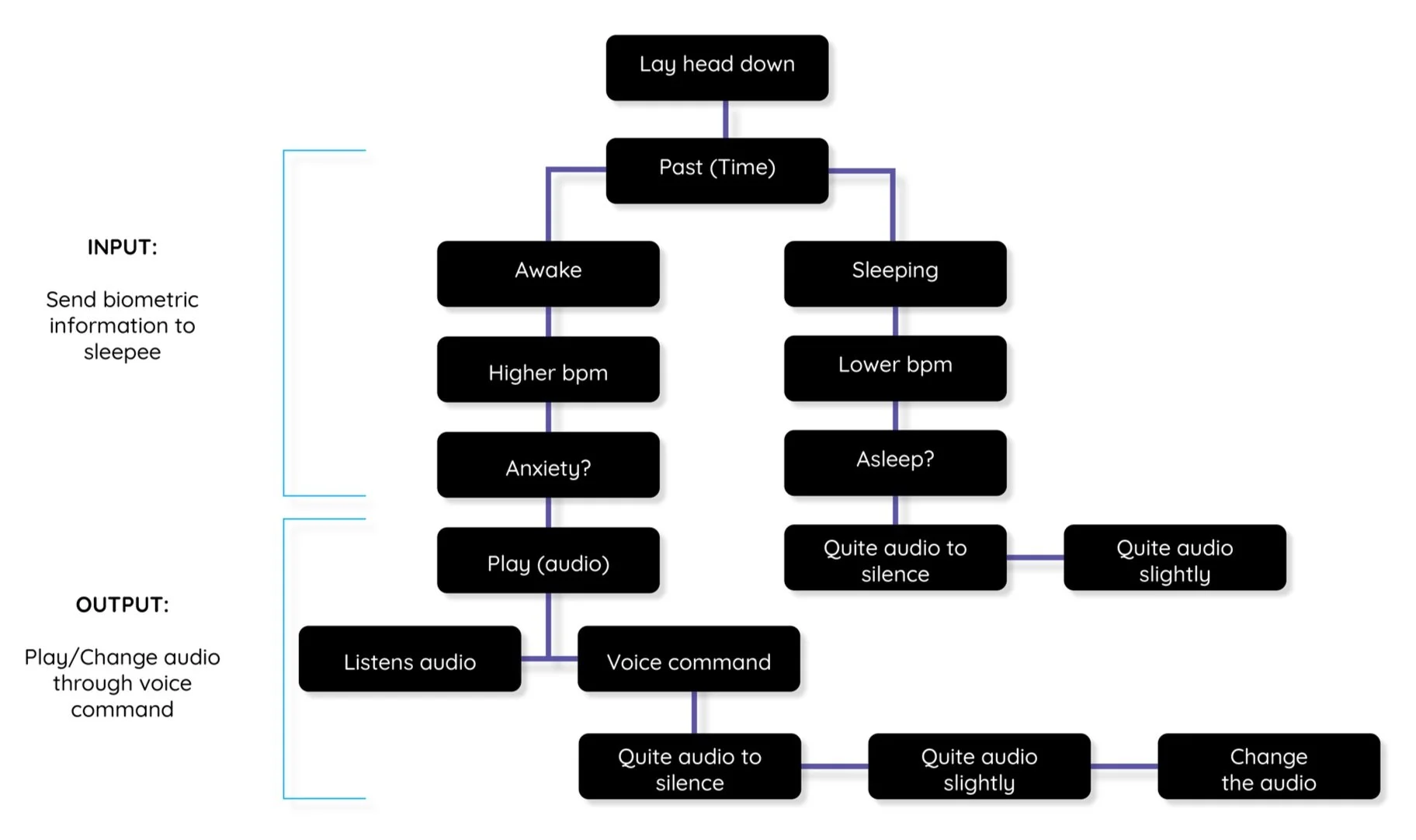
USER FLOW FOR THE PILLOW AND VOICE COMMAND INTERFACE
BRIEF
With the prototype completed, testing done, and changes made, we completed this project. We developed SLEEPEE system which was well liked by all participating users. We think this design has a lot of real-world potential, and during the final stages of ideation we kept thinking of things that would be great to add that we just did not have the resources to divulge.
If you would like to know more about our process, please use the table of contents below.
TABLE OF CONTENTS (CLICK TO GO TO PAGE)
OBJECTIVE
“In this project, you will build on your knowledge and skills to prototype an experience that is distributed across multiple channels to support domestic technologies, very broadly construed. This includes, but is not limited to, technologies to support everyday home life, home sharing services, and co-living situations.” In this project, we were required to design a multichannel experience with multiple touch points where -
Digital channels should be optimized for at least mobile devices and desktop screens.
Physical service channels should be designed for physical environments.
PROBLEM STATEMENT
For this project, we had to choose a subcontext and a population to design for. We chose the subcontext of sleeping in domestic settings and decided to focus on people who have trouble falling asleep and have sleeping issues.
“How do we improve the sleeping experience of people who have trouble falling asleep? ”
MY ROLE
I was responsible for UI and UX design of the app, including sketching ideas, whiteboard ideations, creating low, and mid fidelity prototypes, hi-fidelity mockups and final application design. I lead the co-design and interview to elicit and maximize the user experience. At the end, I decided to design SLEEPEE application design based on our user research as an independent study.
Design Process One
SLEEPEE
Design Process Two
INITIATING THOUGHTS
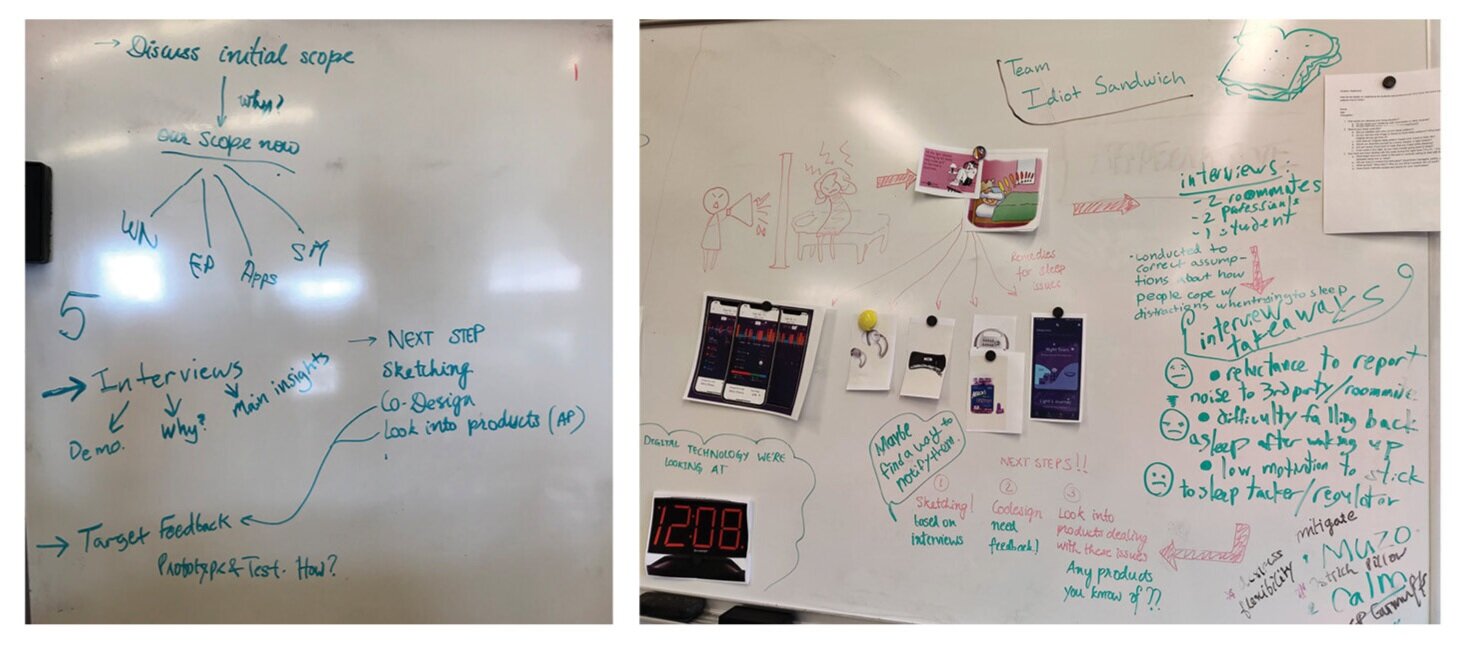
We had our initial scope, disruptive noise interrupting apartment living, fairly early, but the team hadn’t nailed down what we wanted to do with that yet. Did we want to focus on noise coming from outside the apartment or from roommates residing within it? Did we want to have this communicate with building managers for possible responsive action, or keep it between the residents?
We learned a lot from secondary research in this scope, but maybe the biggest thing was that noise complaint mediation was very difficult and very messy. We tried to be brave and dive in to untangle that mess, but we soon found it taking our project further and further away from domestic tech. Because of this we shifted a little and focused on helping the person experiencing the disruptive sounds fall asleep despite the noise.
Design Process Three
INVESTIGATING THE SCOPE & RESEARCH
We started with some secondary research on sleeping issues, coping mechanisms, and what works and what does not work. We also looked into some existing products that deal with such issues. Secondary research was an ongoing process for this project since we would discover something new after every interview, desk critique and even while developing our solution. The overarching aim was to understand the problem scope and user group better while the questions became more focused as we progressed.
FACTORS AFFECTING SLEEP
Following were the key external factors affecting sleep that came up in our research, each correlating to the senses of the body:
Touch: A comfortable mattress, pillow and bedding is crucial to most (approx. 93%)
See: The lighting plays a very important role, both when trying to fall asleep or during the sleep cycle.
Hear: While sleeping, our brain has the ability to process sounds at some level which can change our heart rate and blood pressure which also depends on the stage of sleep we are in and how we feel about the sound.
Taste: What you eat impact how you sleep and the most adverse effects are shown by the intake of caffeine.
Smell: Every person has their own preference with this though, some prefer no smell at all.
We decided to focus mainly on the ‘hear’ part of the sleeping experience.
COPING MECHANISMS FOR SLEEP ISSUES
“There are a bunch of apps available but we use Spotify. They have a lot of great sleeping playlists.”
“I cannot sleep without it, I absolutely love white noise.”
“Redditors who sleep with any sleep aid, earplugs, eye cover, etc, What is your reason?”
We looked at lot of different products that are used by people to improve their sleep patterns when they have trouble sleeping.
Earplugs & Earphones: This was the most common and cheapest option amongst all but these need to be put in and worn all night, and can fall out/off and cause discomfort during sleep, which is not desirable.
White Noise Machines: While it was recommended by a lot of people, it is also very expensive, require setup and to be activated every night, will not be available everywhere.
Sleep Tracking/Meditation apps: Apps like Headspace are very popular among people for the sleep casts that are sounds and guided meditation. But these apps require a lot of interaction with the digital devices which disrupts the sleep.
Interviews
USER INTERVIEWS
We mostly interviewed students or professionals since they have a hectic schedule and mostly have to wake up early.
“Noises generally irritate me, but if it is something soothing and prolonged, that helps”
“It’s really hard to sleep without these things, unless I’m really tired, like went to the gym or something”
INSIGHTS
Most of our participants used sleep tracking apps in the past and liked the kind of insights it provided but ended up ditching it because of the manual effort some of them required. It was difficult to make it into a habit.
Having irregular sleep patterns impacted their creativity and concentration in classes and meetings. It hinders their energy level. Although, when they have had a tiring day, it is much more easier to fall asleep.
The light sleepers use earplugs/ headphones and some kind of white noise that they prefer like ASMR, nature noises, or some audios from apps like Headspace (as long as the audio was consistent)
For light sleepers, any sudden noise is enough to wake them up in the middle of the night and going back to sleep then is really difficult.
The participants also said that they feel they have grown dependent on these methods and unable to sleep in the absence of white noise.
CO-DESIGN
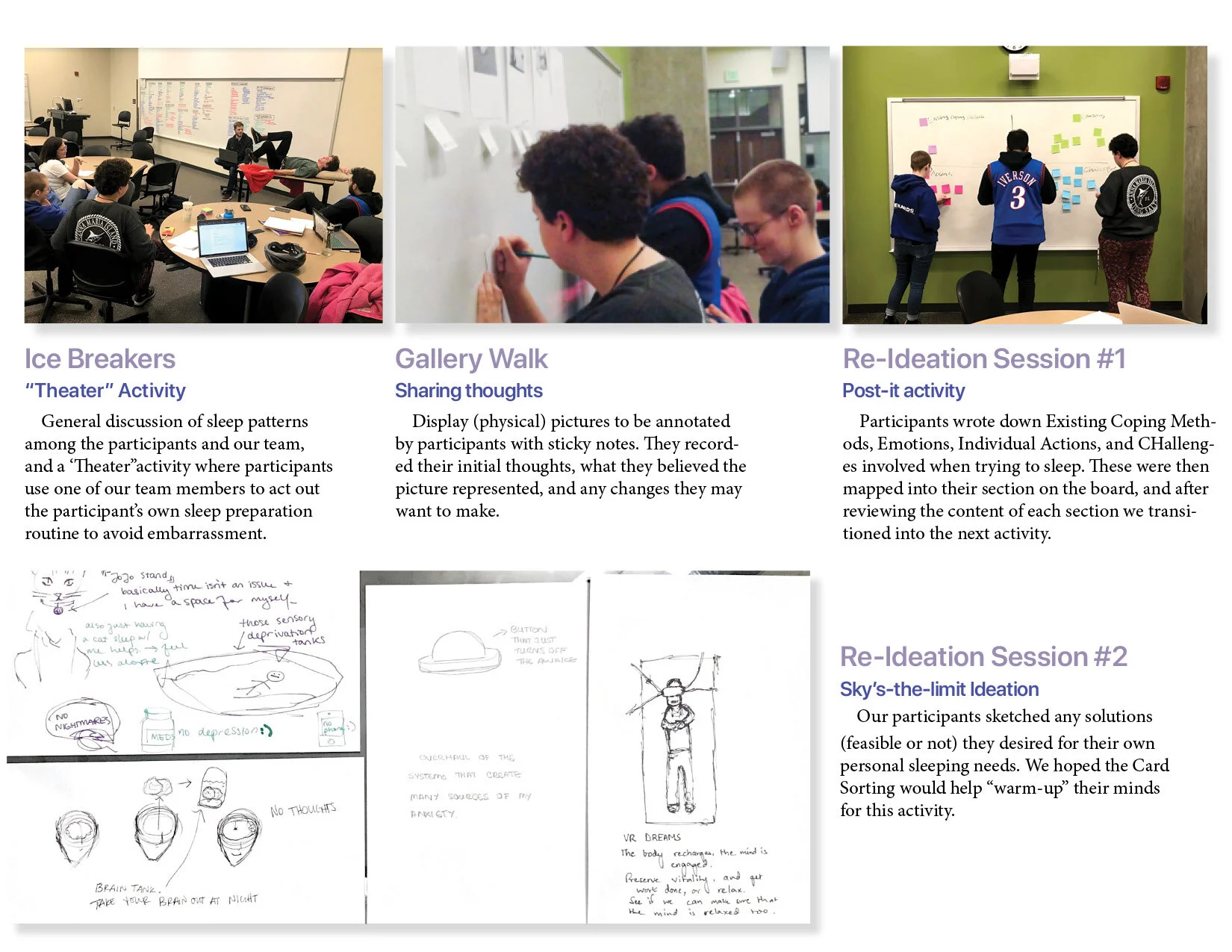
We received much feedback from our participants that informed our future ideation and final design. Our insights are defined below:
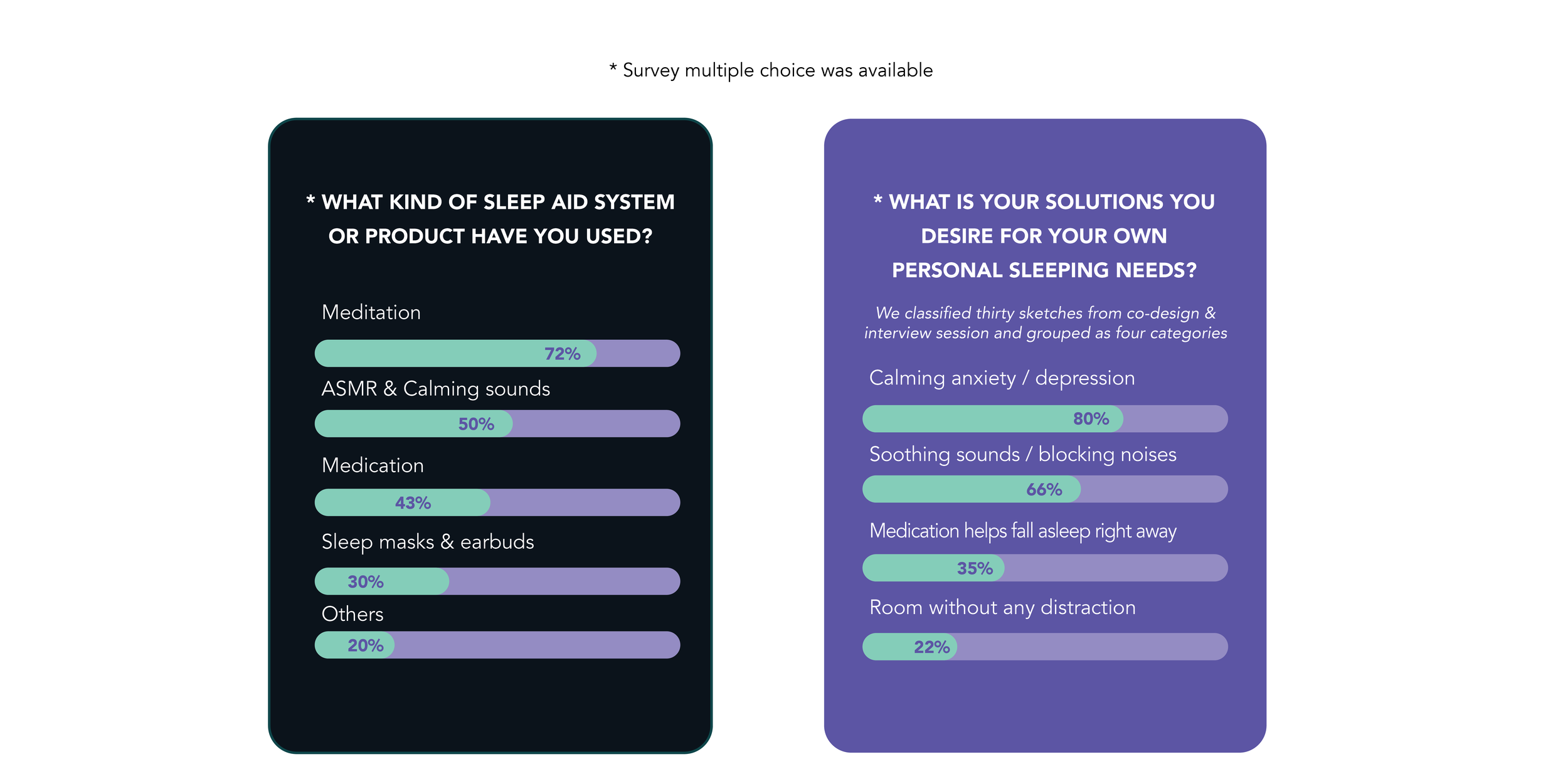
Survey of 32 interviewees to find needs within current sleep aid methods
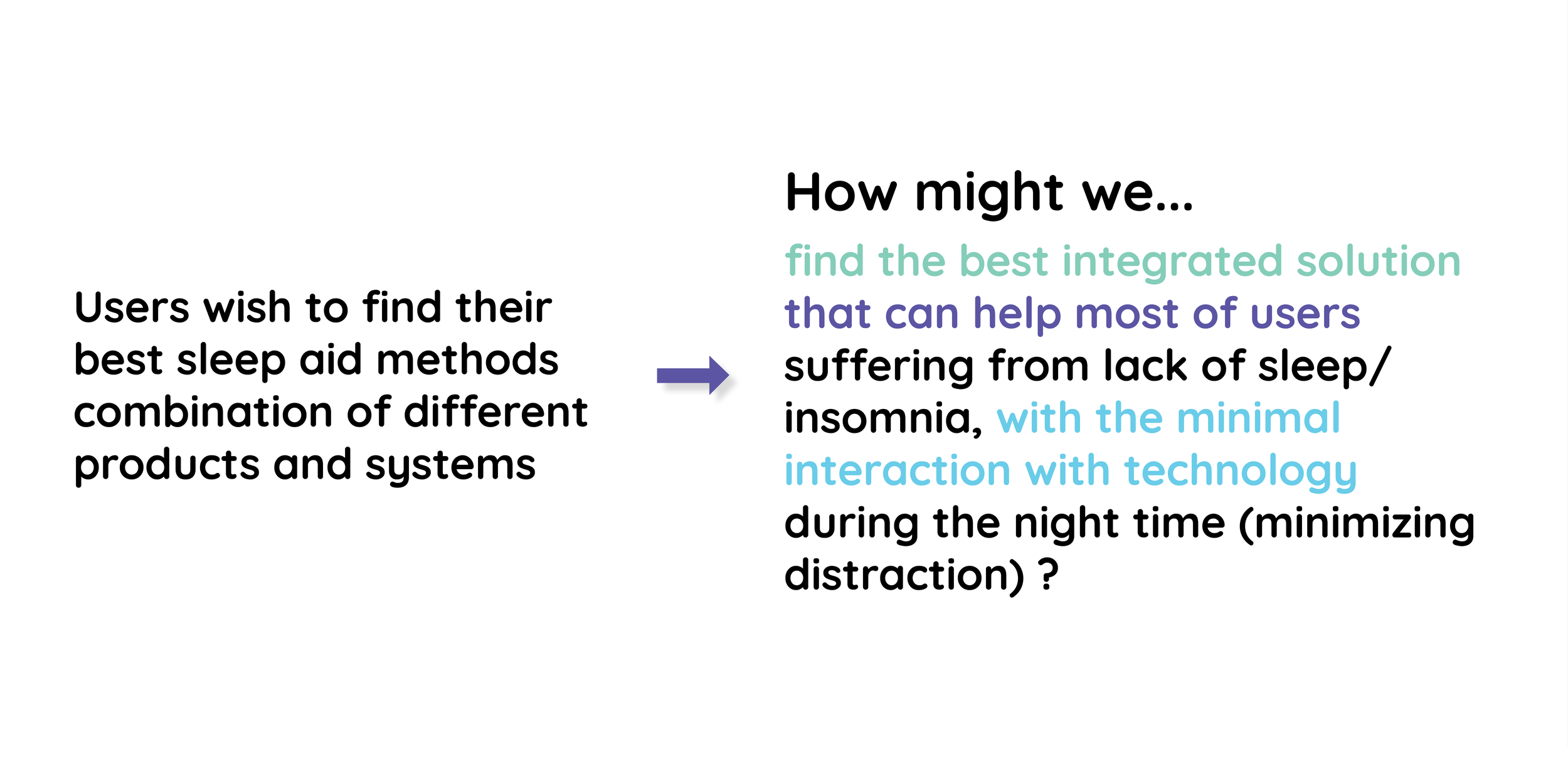
Users’ sleeping needs vary from person to person. No one thing works for everyone.
For noise-based coping methods, different levels and types of noise vary between users as well.
The tedium of routines users must consciously engage in, even something as mundane as logging into an app, can prevent users’ continued use.
Anxiety and other non-controllable factors influence sleep to varying degrees, and may prevent usage of certain coping methods.
CODESIGN GRAPH
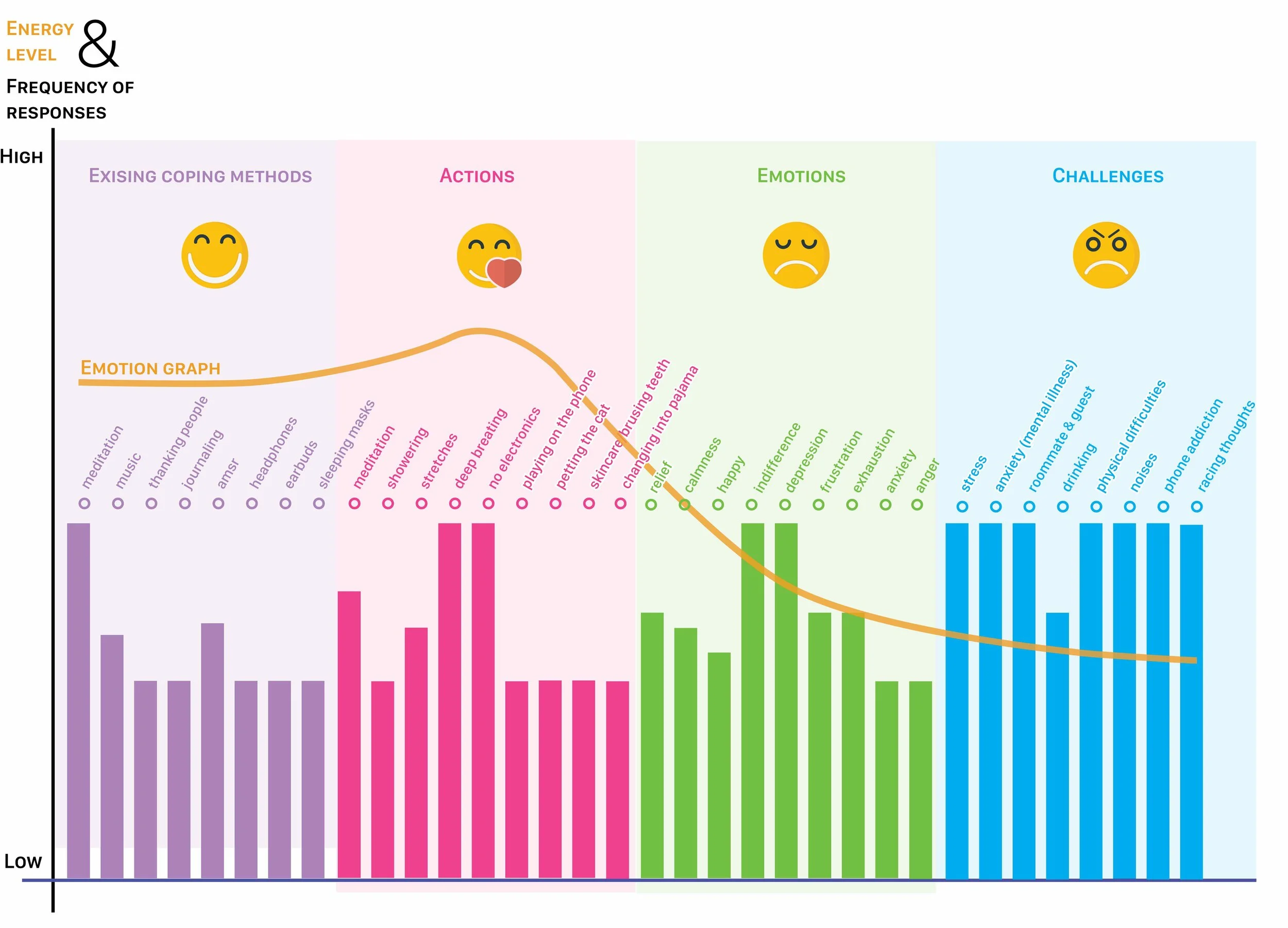
Graphic created by Chorong (Camille) Park
We created a visualization of the co-design insights in order to connect the actions, emotions and challenges better. The graph helped us pinpoint the things that users want and the things they do not want as a part of the experience (like less interaction with technology was desired). Also, from the graph, we were able to find out most of the participants ‘knows’ what to do to help themselves make feel calm and relaxed before they go to bed.
The gap of emotion graph between Existing Coping Methods, Actions versus Emotions, Challenges shows the difficulties of actualizing participant’s ideal sleep condition. The reality is even if they ‘know’ what to do, it is hard to make it happen because of lots of other factors they cannot control. Our product will help users to fill the gap between ‘knowing’ what to do to actualize the best condition for the sleep.
ANNOTATED PORTFOLIO
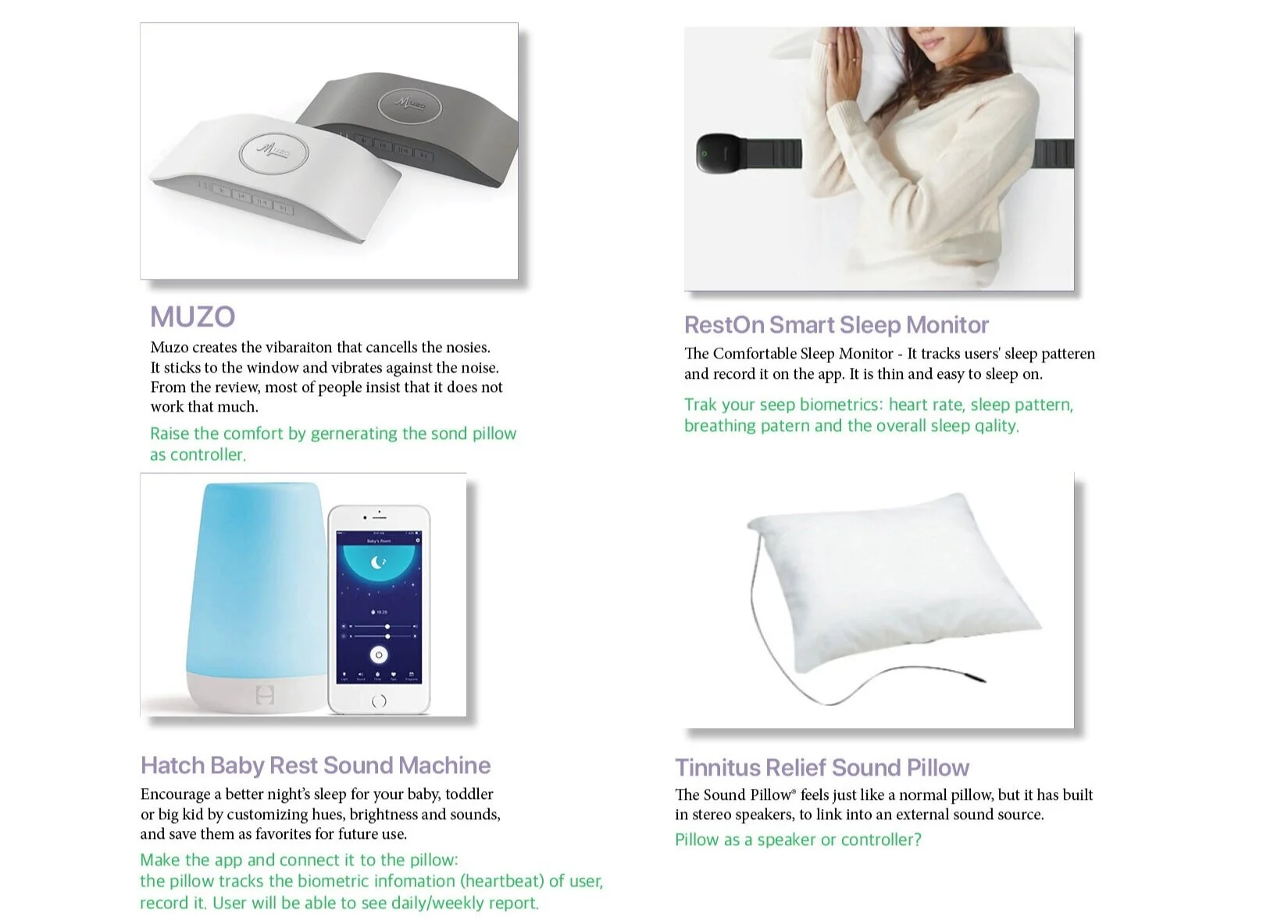
After our first desk critique and from all the secondary research, we found some products that deal with sleeping issues. We created an annotated portfolio to highlight the common themes and differences in these products and to help gain inspiration for our ideation.
FIRST ROUND
IDEATION & SKETCHING
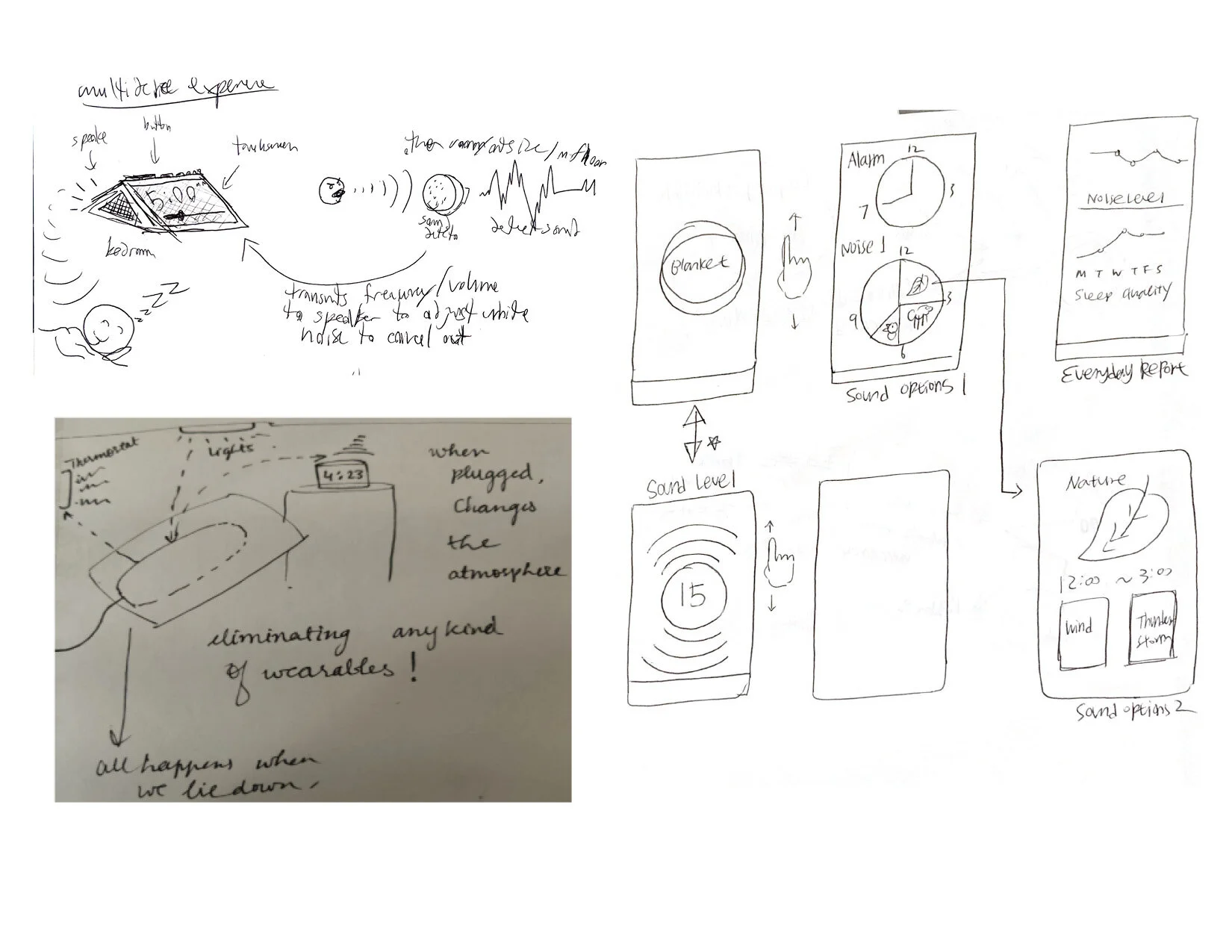
With a lot of research at hand, we did our first round of ideation and sketched some solutions individually to discuss those as a team. We initially had the idea of making a smart alarm clock that plays noise as per your controls. But we found that with these ideas, we were moving towards creating another white noise machine.
A main takeaway from our co-design was that people want their sleep to be as non-disruptive as possible. So we leaned towards a pillow that would play asmr and relaxing music when the user lies on it. We still found it to be too restrictive and repetitive. This was something wanted feedback on for our second desk critique.
RAMPING UP IDEATION & PROTOTYPING
We found our CoDesign to be a success, even though the takeaways pointed away for noise disturbance and more towards anxiety and your own thoughts keeping you up. However, we decided to roll with the punches and try to tackle nighttime anxiety using the audio based concepts we had already previously ideated on.
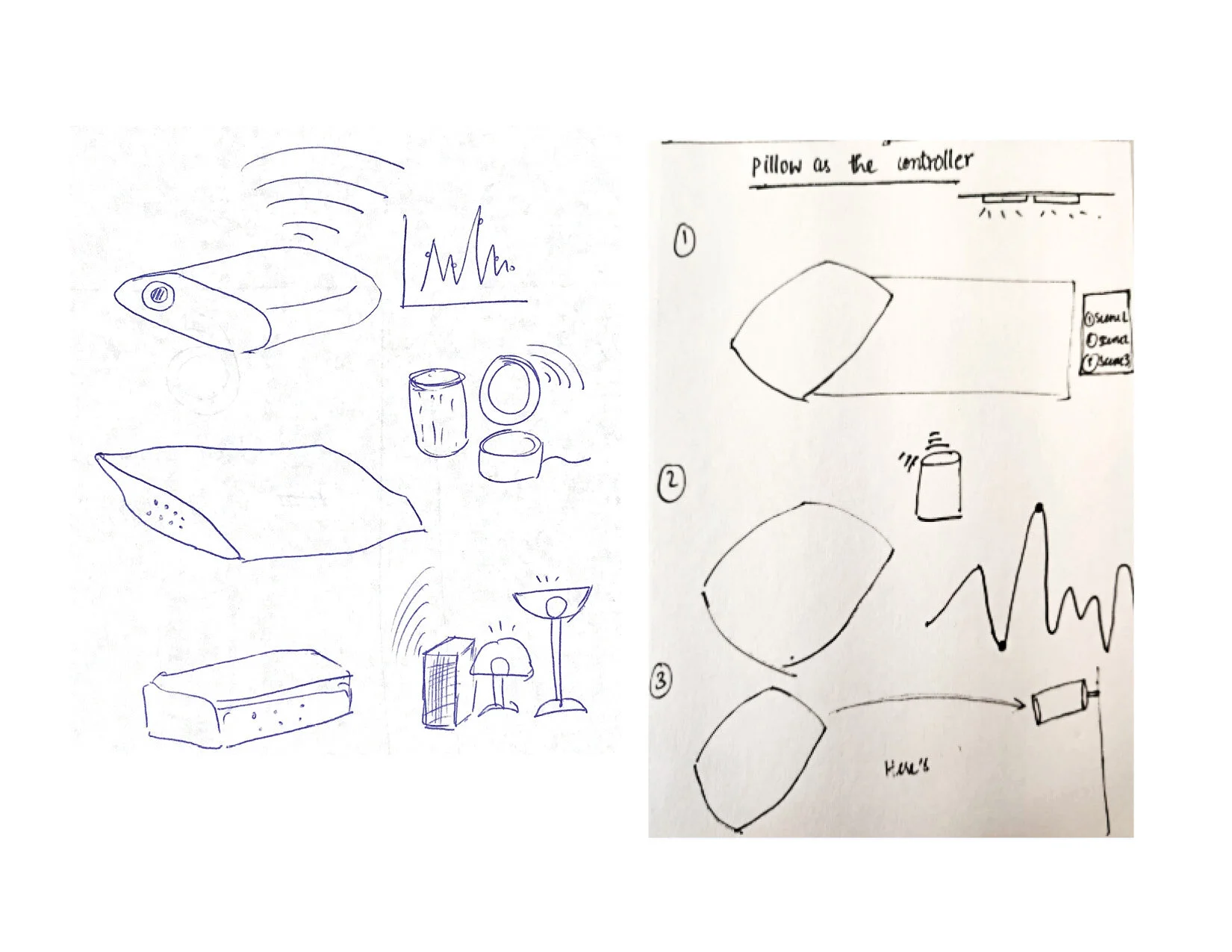
A big revelation came from our second critical review, in which our previous ideation was summarized into using a pillow as a controller. We soon got to work on nailing down a prototype for our design. This was a second shift, now focusing on anxiety not noise, but we had research to back it up and moved forward confidently.
SECOND ROUND
IDEATION & SKETCHING
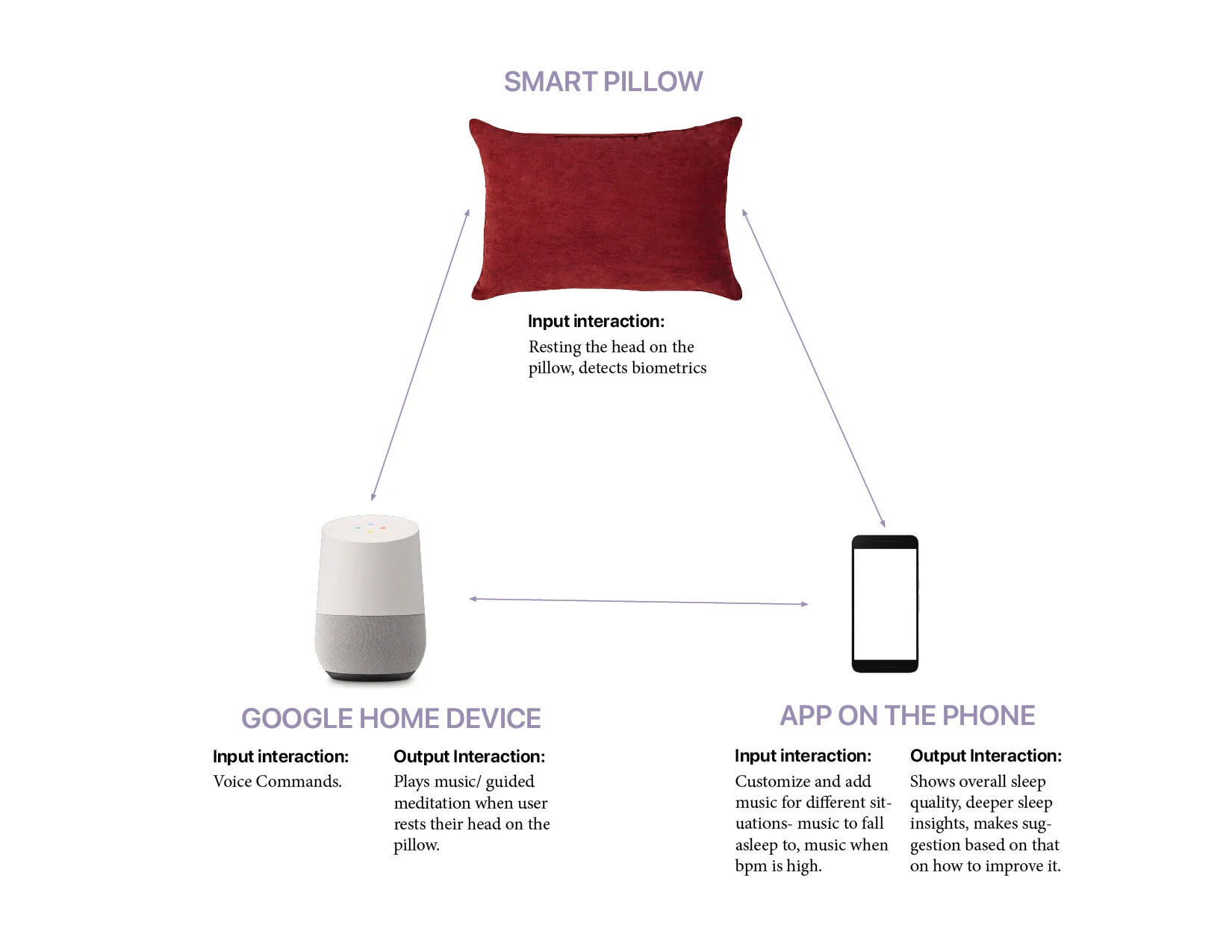
Thinking of the “pillow as the controller”, we did our second round of ideation to see how can the pillow interact and control the environment while sleeping. During this ideation, we connected the pillow to fill any gaps that were found from our research. We used it as a controller for a Google home device that modifies the sound according to your sleep cycle as the pillow itself collects biometric data. We combined some of our ideas that related well to our scope and research and then started to flesh these ideas, as a team, on the whiteboard.
WHITEBOARD IDEATION & ITERATION
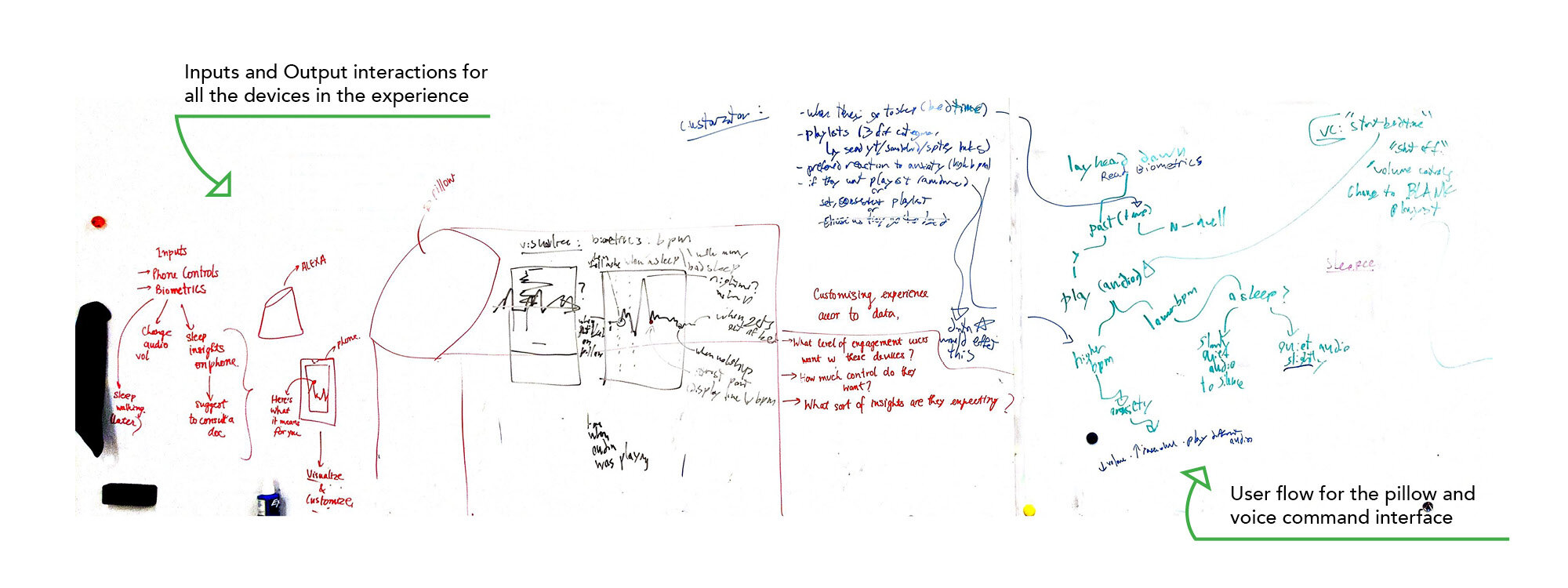
Whiteboard ideation for the application, Alexa and the smart-pillow (Zoom -in)
We first started to map the ideas on the whiteboard. We put all the devices involved in the experience on the board, then talked about the types of input and output for these devices. After that we discussed how each device works in integration with the other devices.
User flow for the pillow and voice command interface
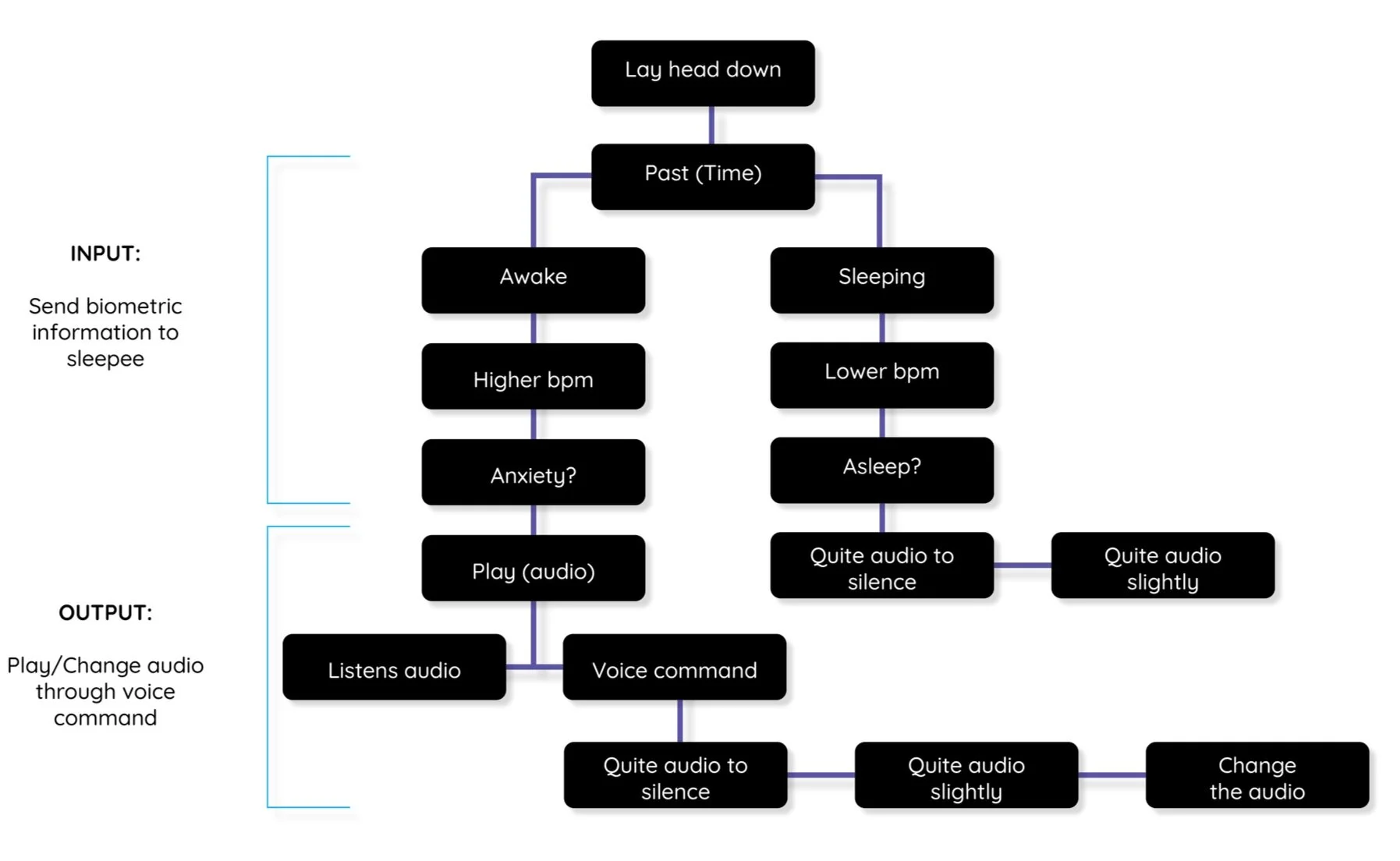
To understand the entire experience, we discussed the user flow for the entire experience. This helped us identify questions and gaps that we were still unaware of. From there, we decided to have detailed sketches for the application. To use paper prototype for our test, we updated the sketches with more function on it.
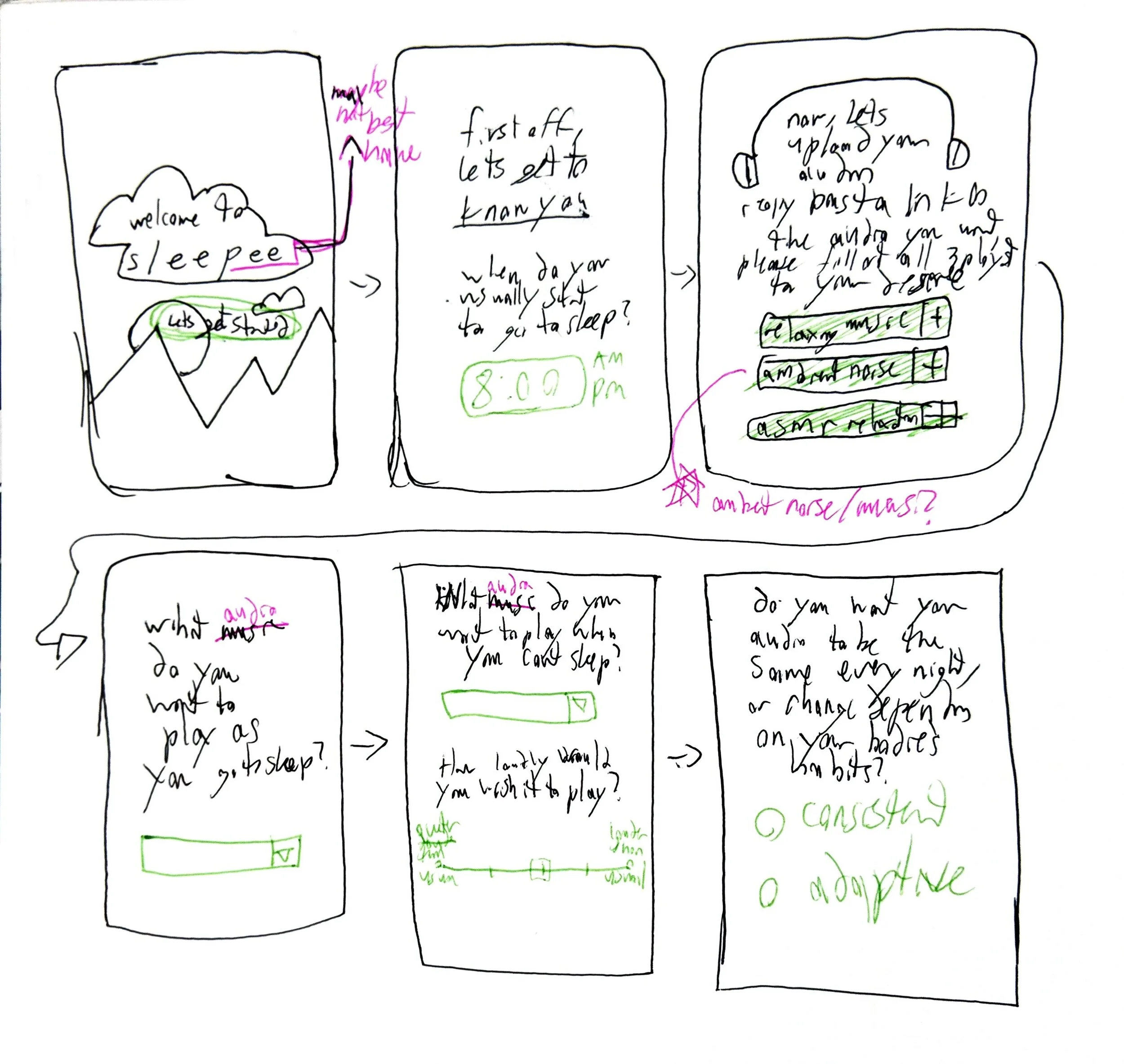
Sketch for the app #1 by Benjamin Fraily
ASKING QUESTION THROUGH PROTOTYPE
After the whiteboard ideation, we found three main questions that we wanted to ask our participants through the prototypes:
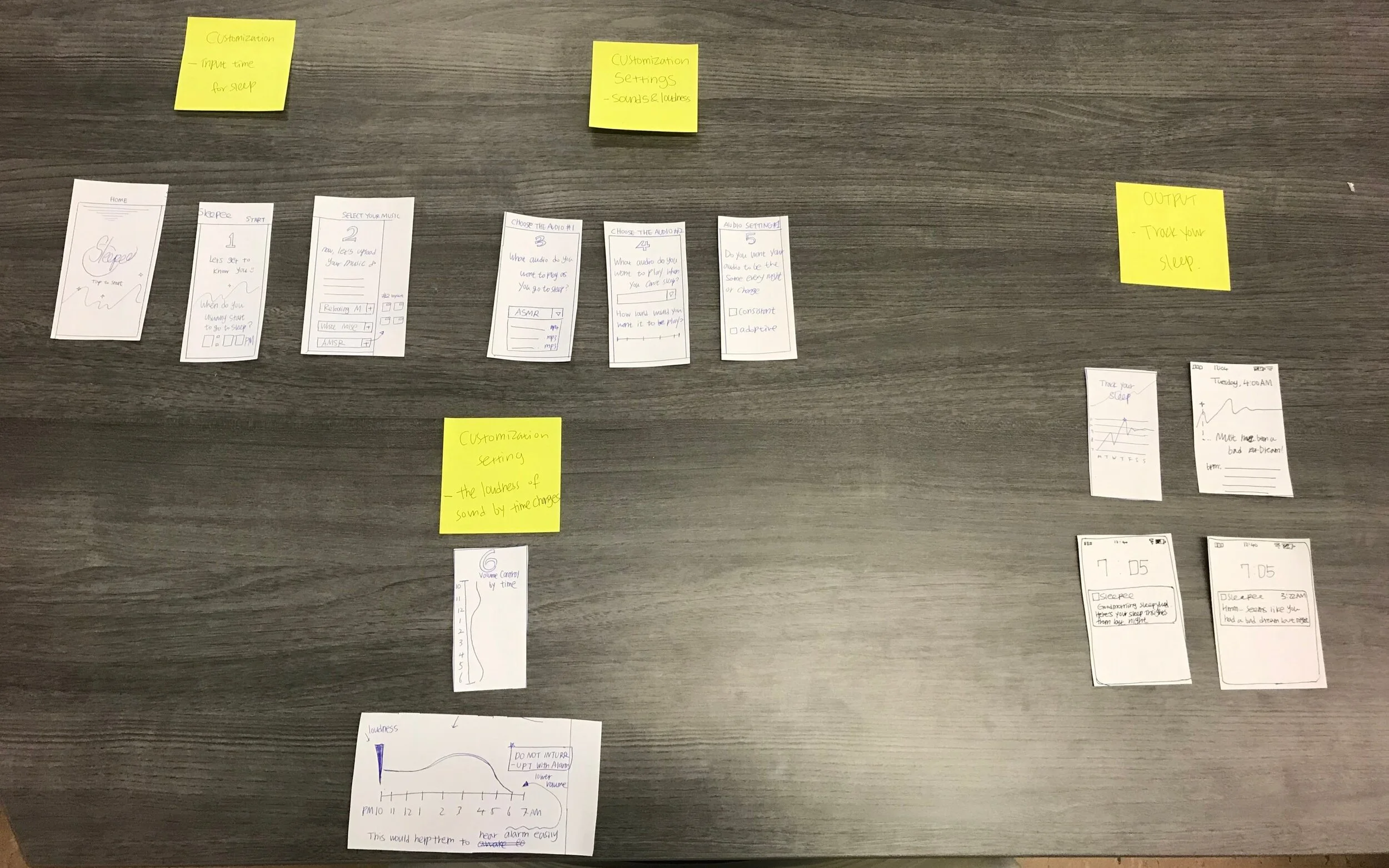
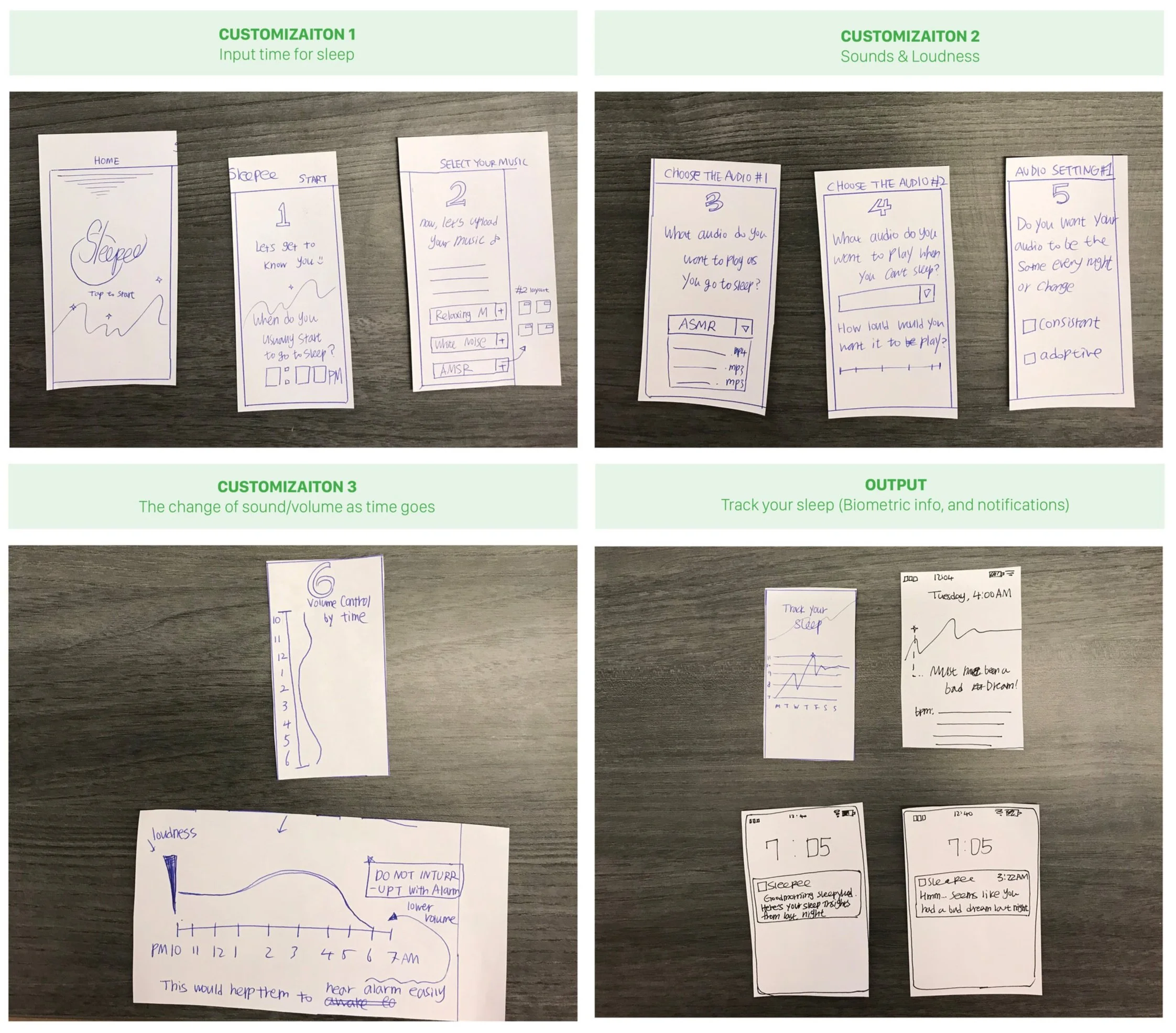
Question 1: How much customization control do the user want over the experience?
All these questions were specific to certain parts of the experience. We did a Wizard of Oz testing to to prototype our solution. For the first question, the participant was shown the following paper prototypes to set up the app:
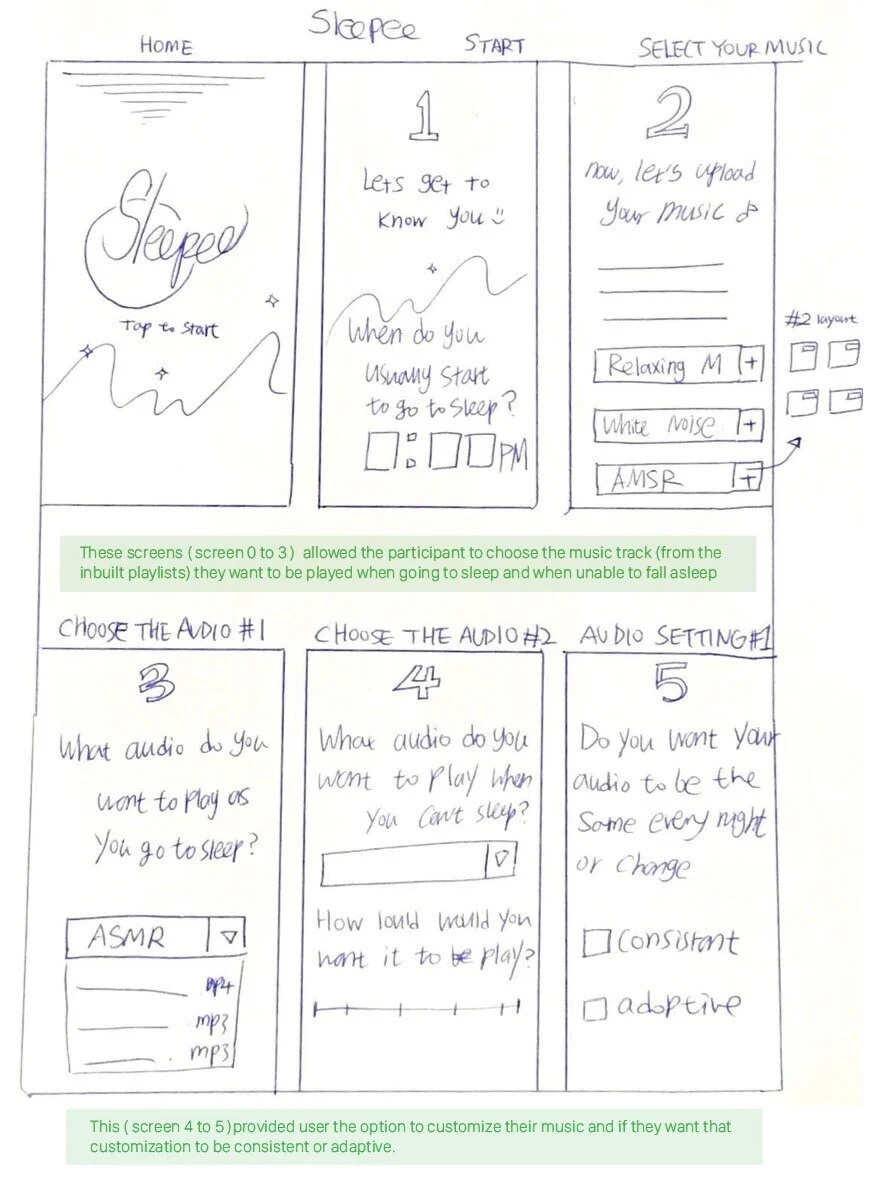
Updated ketch for the app by Chorong (Camille) Park
Question 2: What level of engagement does the user want with all the devices in the experience?
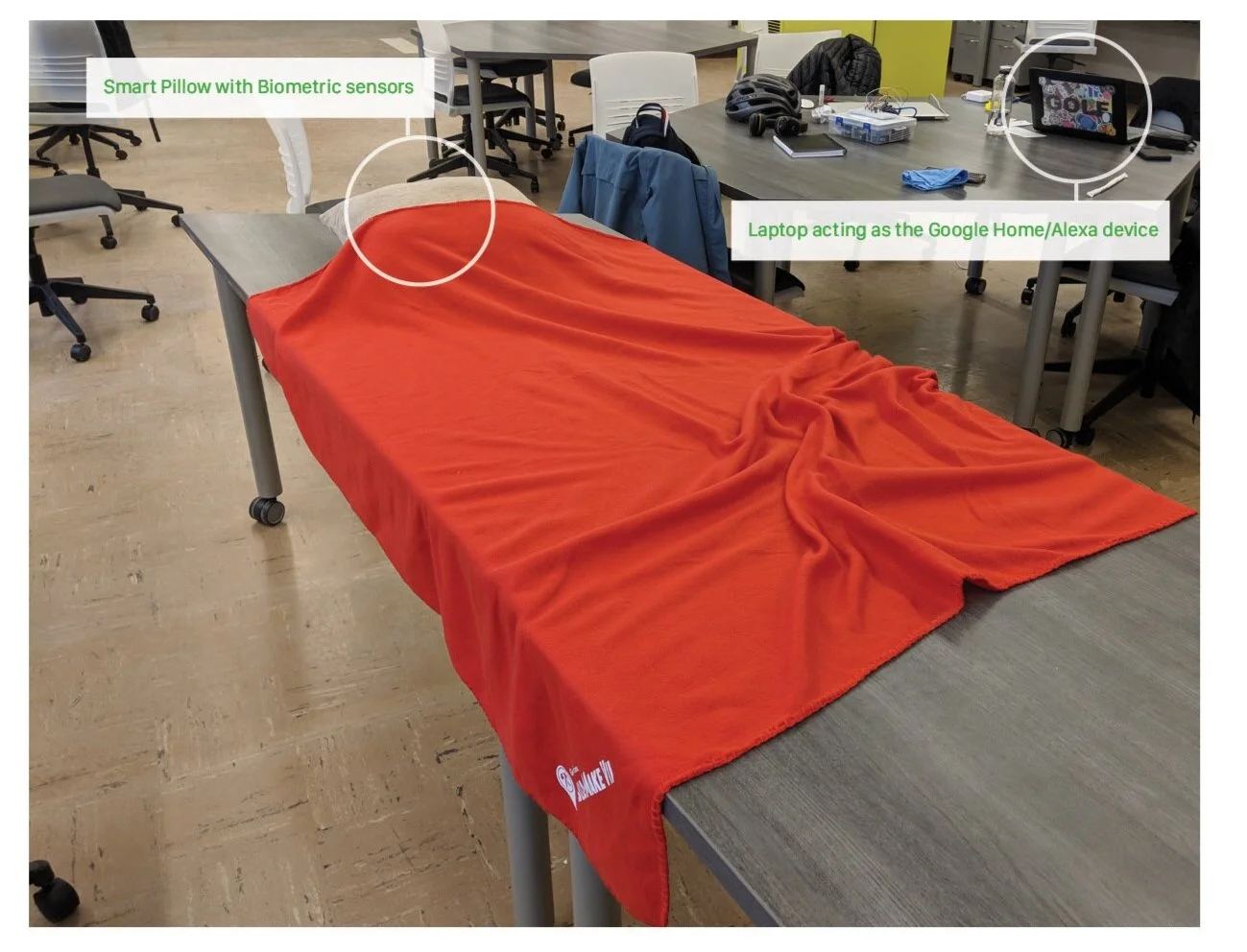
For this question, the participant was asked to go to sleep i.e. lie on the pillow. As soon as the participant rested their head on the pillow, the music they selected from before (through the app) started playing from the Google Home/ Alexa device which was a laptop in our prototype.
We then gave them the situation that they are unable to sleep due to stress and anxiety. This would be detected by the biometric sensor in the pillow and the music would change to the other calming track selected by them from before.
The next situation was when they want the Google Home device to stop playing the music. We expected the participants to do so while lying down using voice commands. We made sure the participant had no device (phone or laptop) near them at this point.
Question 3: What sort of insights do the participants want from the app?
For this, we presented the participant with some screens that they would see in the morning after they wake up. These screens would display their bpm throughout the night along with the time when user rested their head on the pillow, when they actually fell asleep, when they woke up and when they got out of bed. This would also display any points during the night when the bpm was abnormal and suggest what that could mean and how it can be fixed.
PROTOCOL
Scenario 1: explaining how to use the smart pillow and the app
You have recently bought a smart pillow for improving your sleep patterns and help you sleep better. The pillow is connected to an app on your phone as well as your Google Home/Alexa device. Currently, you’re setting up the device and the app.
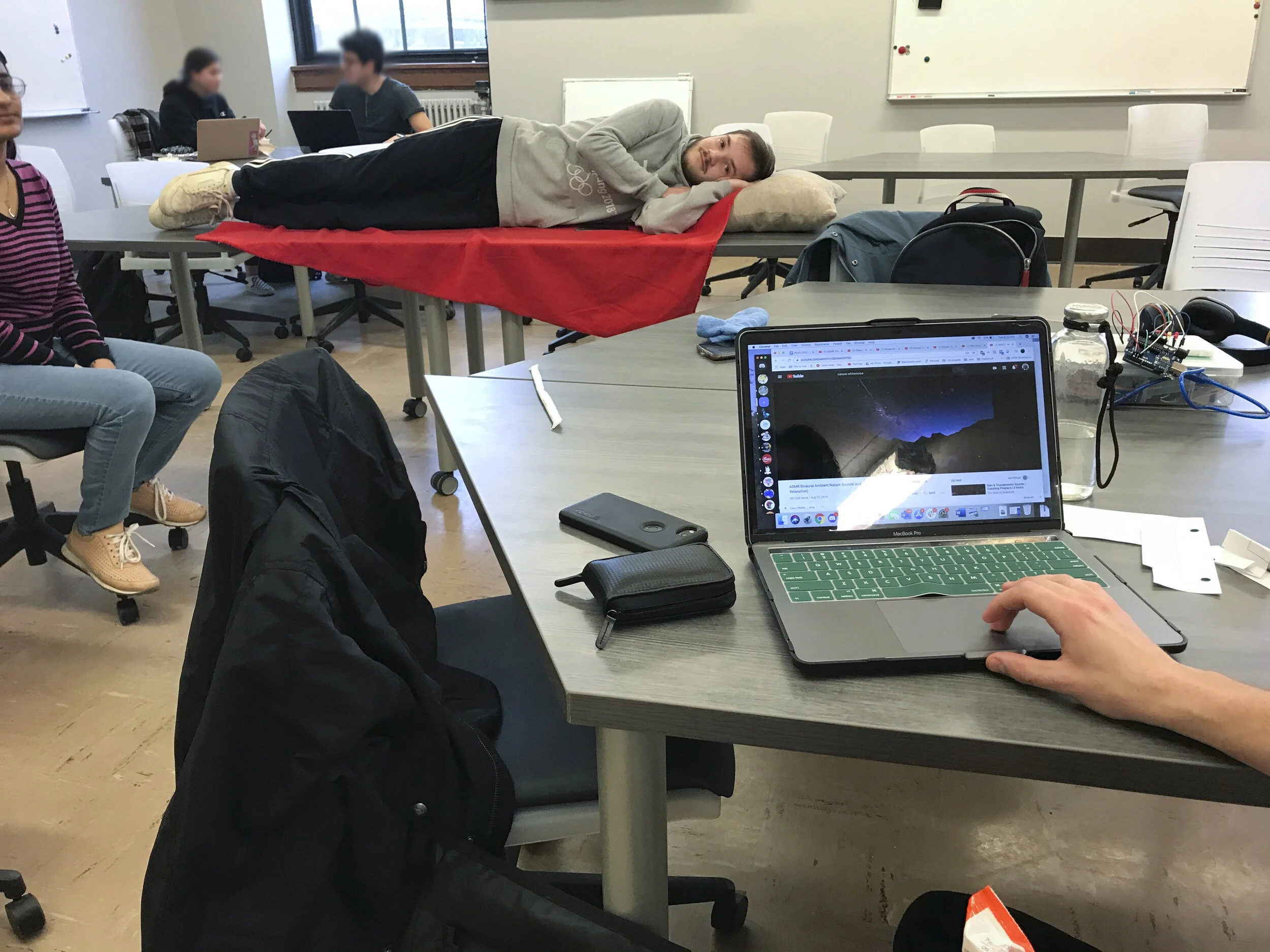
Senario 2: Participant is listening their audio of their choice as they go to sleep
So you have set up the pillow, connected it to your phone app and Google Home device. You’re ready to go to bed.
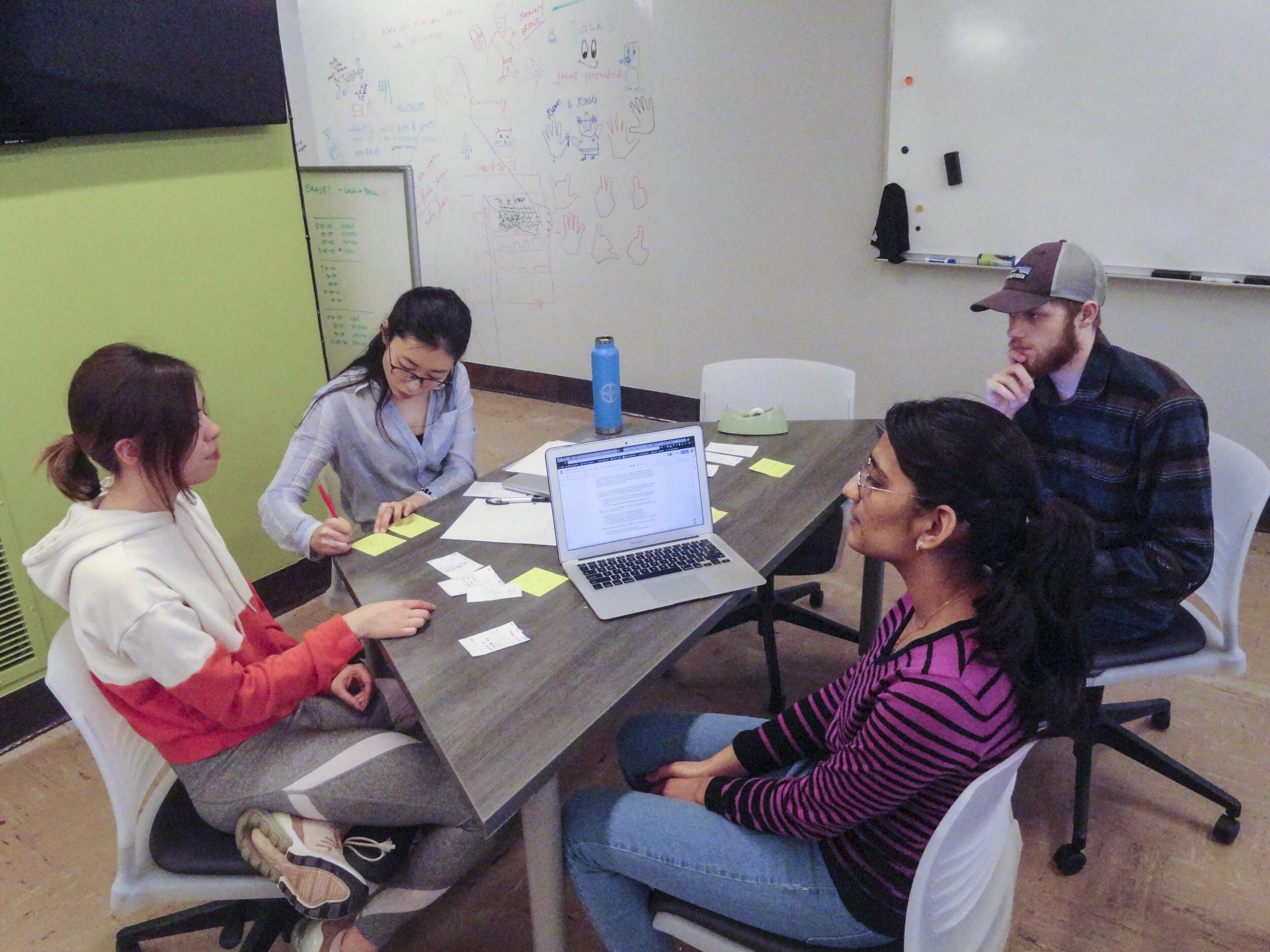
Senario 3: Checking the notification on the app, and detailed biometrics recorded during their sleep
You wake up and see some notifications from the sleep app on your phone.
TESTING INSIGHTS
FIRST ITERATION SUMMARY
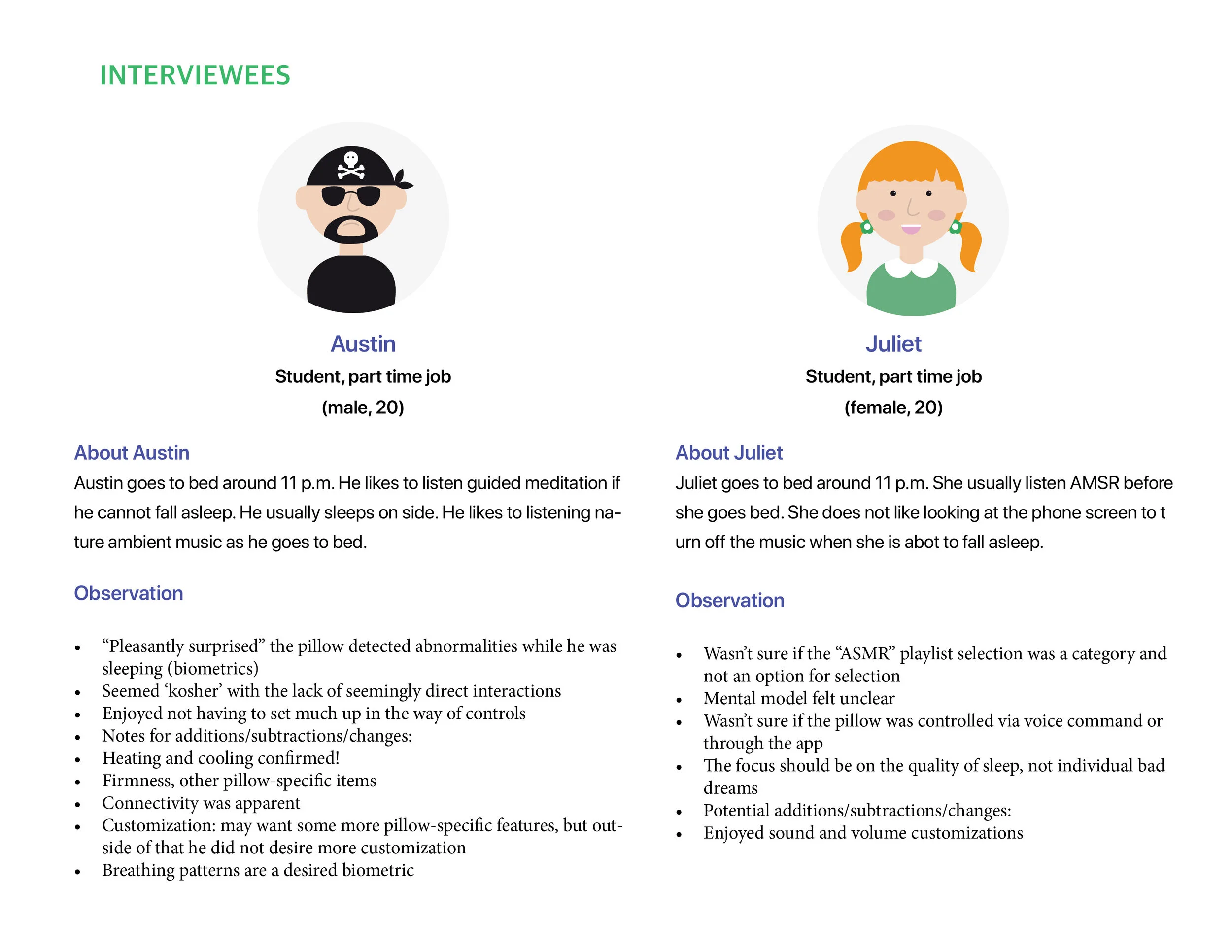
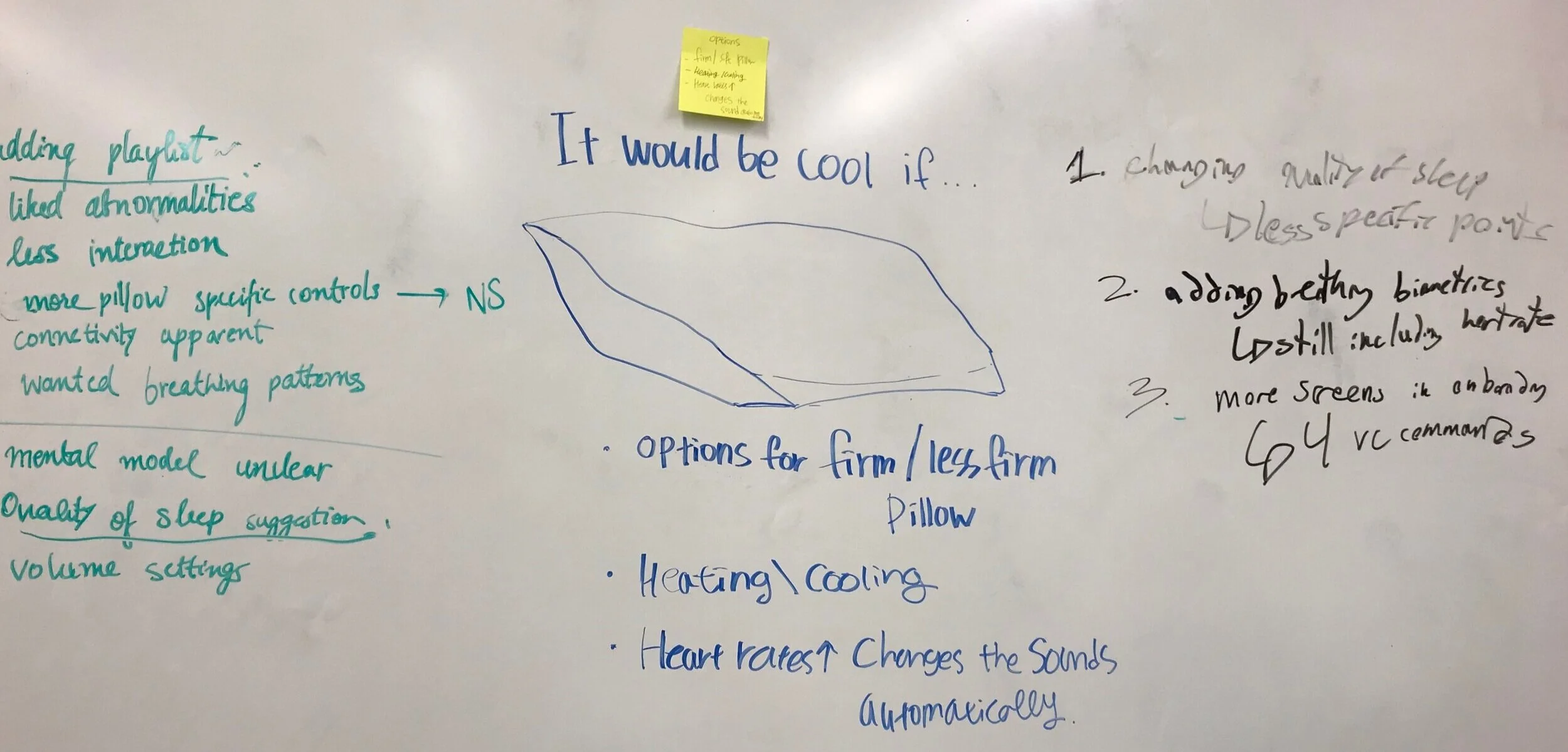
Overall, participants were satisfied with the functionality of the smart-pillow and the app. The experience was seamless according to them but some instructions during the onboarding/setup was desired. The customization function on the app was good, it was not too much. They wanted the app that has the playlist they can select because people usually have their own preferences/ playlist of what they want to fall asleep to.
Nevertheless, they wanted more features related to comfort - such as the function that controls the firmness and the temperature of the pillow. Participants wanted to see the breathing patterns in addition to the heart rate and an overall assessment of quality of sleep rather than just pointing out specific abnormalities (in the bpm) through the night.
FINAL ITERATION
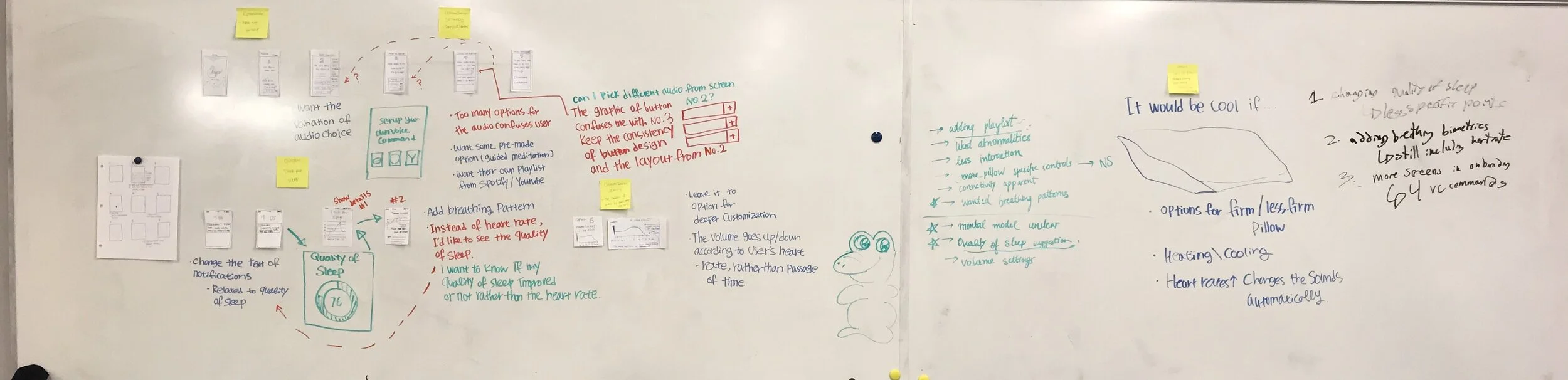
After the testing, we laid out all our screens on the whiteboard and looked at the changes that need to be made based on the insights from the testing. We also analysed how these changes would affect the entire experience since it is a multichannel experience.
Following changes were made to the prototype:
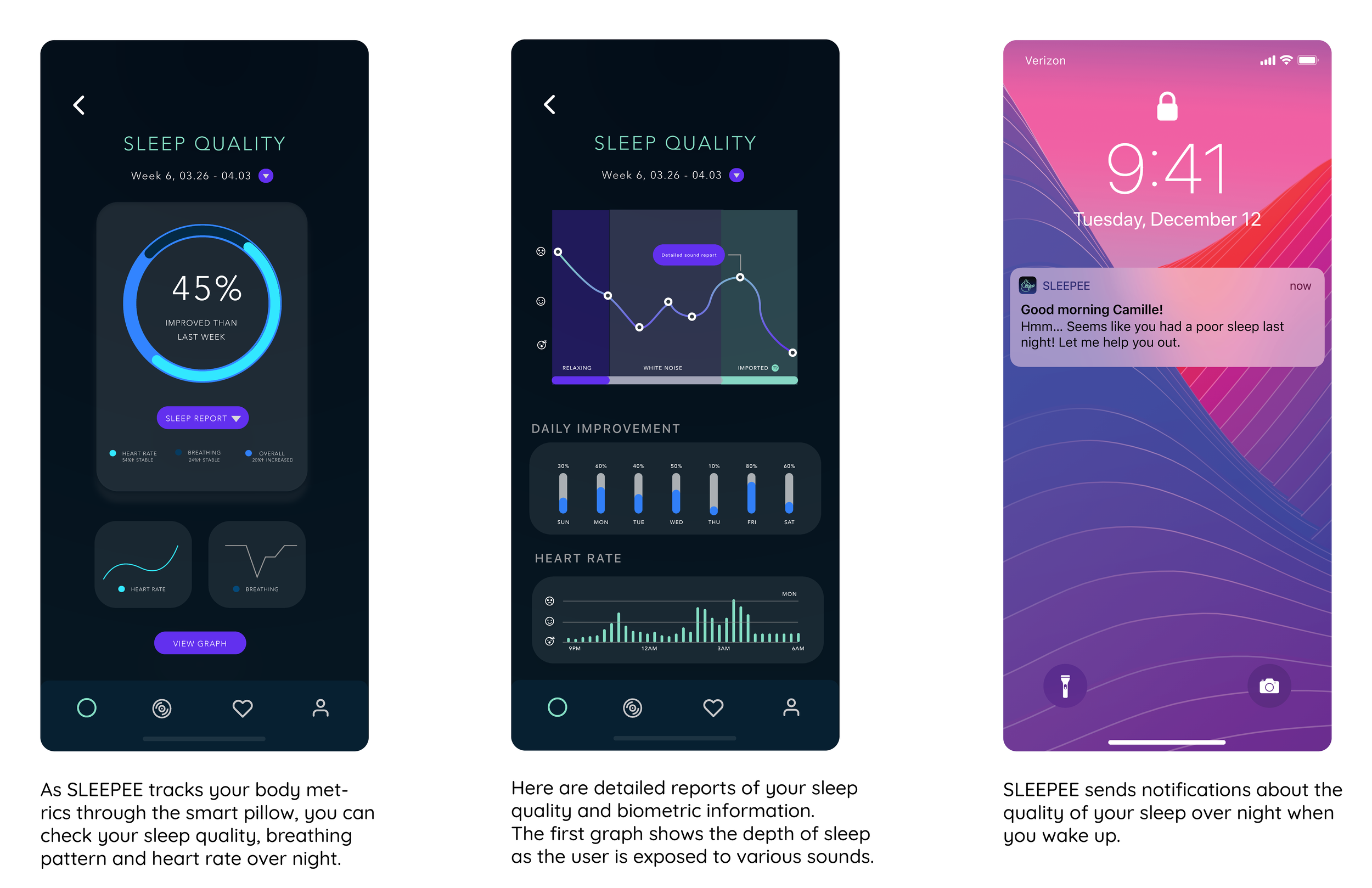
Having an overall quality of sleep measure on the screen. User can still view more insights in detail if they want to. Based on the sleep quality, suggestions will be made by the app on how to improve it. This overall sleep quality will be based on the biometric data.
Adding the option to upload your own songs or playlists from other apps. We found that a lot of people have their own sleeping playlist. Not everyone would want to stick to the inbuilt one.
Adding the setup of Google Home/Alexa device while setting up the app. Maybe testing out the voice commands so users know that voice commands can be used to interact with the Google Home device.

click image for the detail
FINAL DESIGN
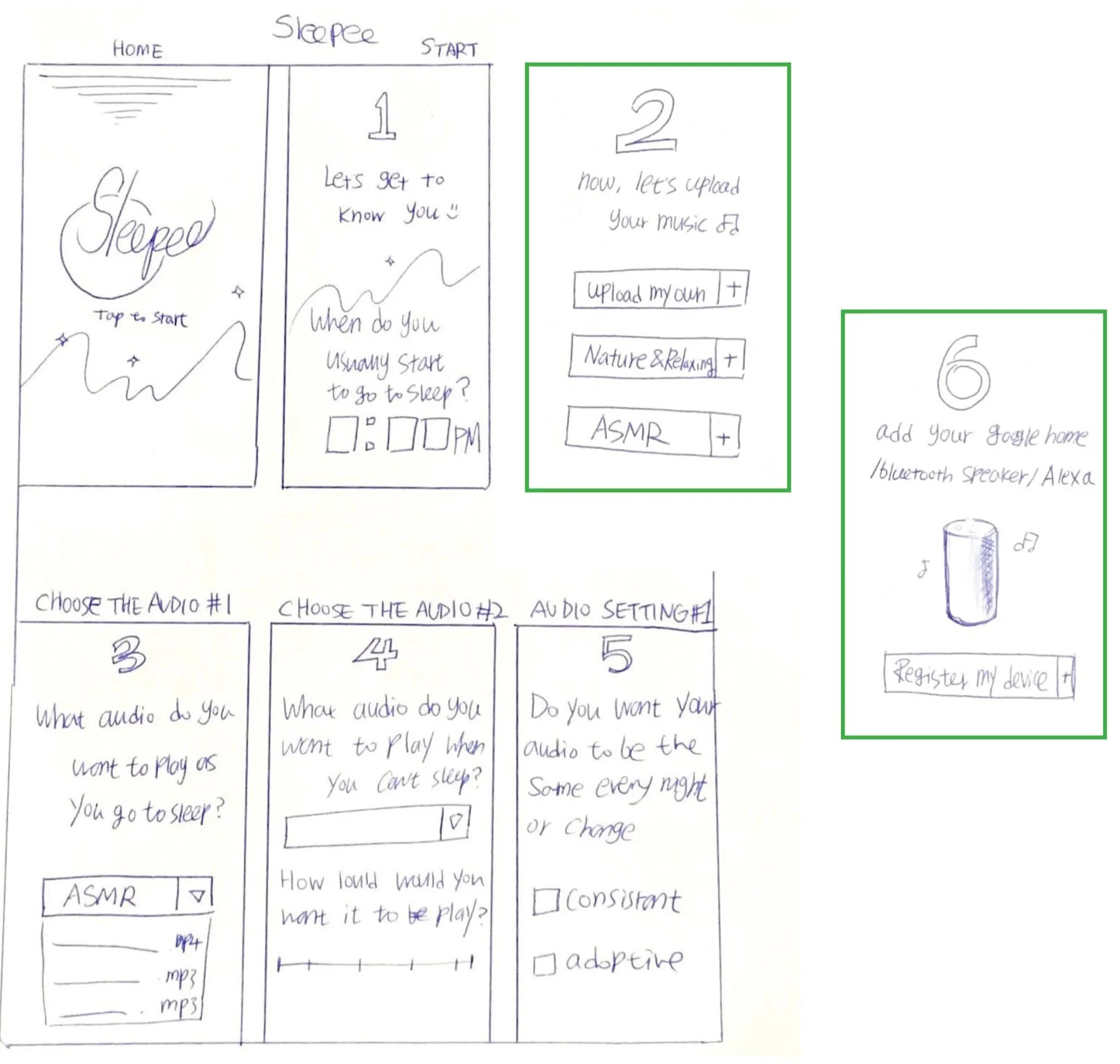
CUSTOMIZING & SETUP
At the time of setup, user will be connecting the pillow to the app and the Google Home device, that would be the part of the onboarding.
The user would be asked to select tracks they want to play to go to sleep and the one they want when they cannot sleep.
These tracks can be selected from the inbuilt playlist or the user has the option to add their own playlist.
User can also select if they want the sound to be consistent or adaptive (through the biometric data)
EDITED SKETCH BASED ON THE FEEDBACK
Ç
FINAL DESIGN
2. AS USER GOES TO BED
by Chorong (Camille) Park
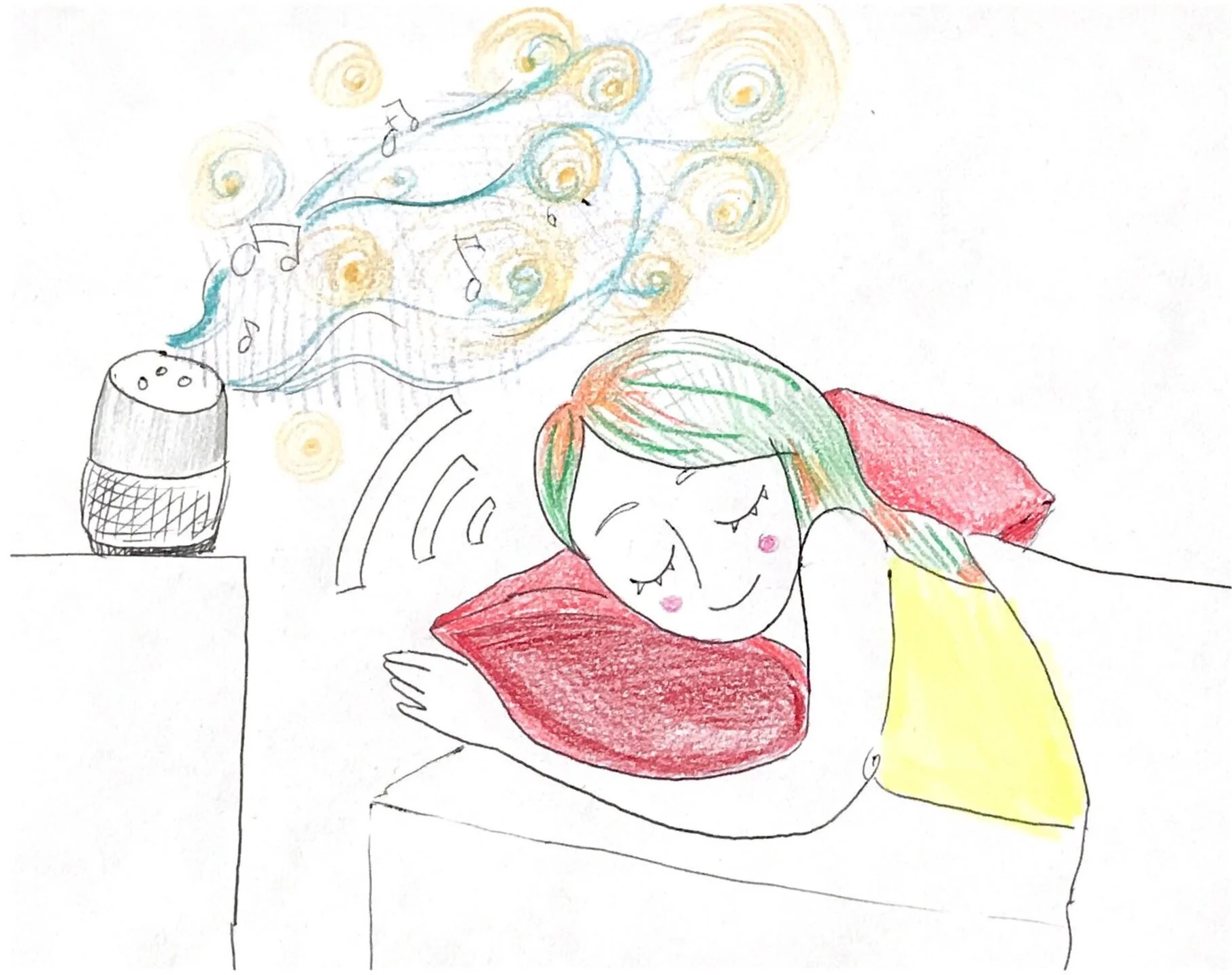
User rest their head on the pillow which is detected by the pillow.
It prompts the Google Home device to play the music selected by the user through the app.
The pillow also collects biometric data like bpm and breathing patterns which is sent to the app for displaying sleep insights.
If the pillow detects high bpm, it plays the calming music selected by the user before.
Based on the biometric data, the music fades as the user falls into deep sleep.
Over time, as the pillow continues to collect biometric data, it adapts the sound to user’s sleep patterns.
FINAL DESIGN
3. SLEEP INSIGHTS ON THE APP
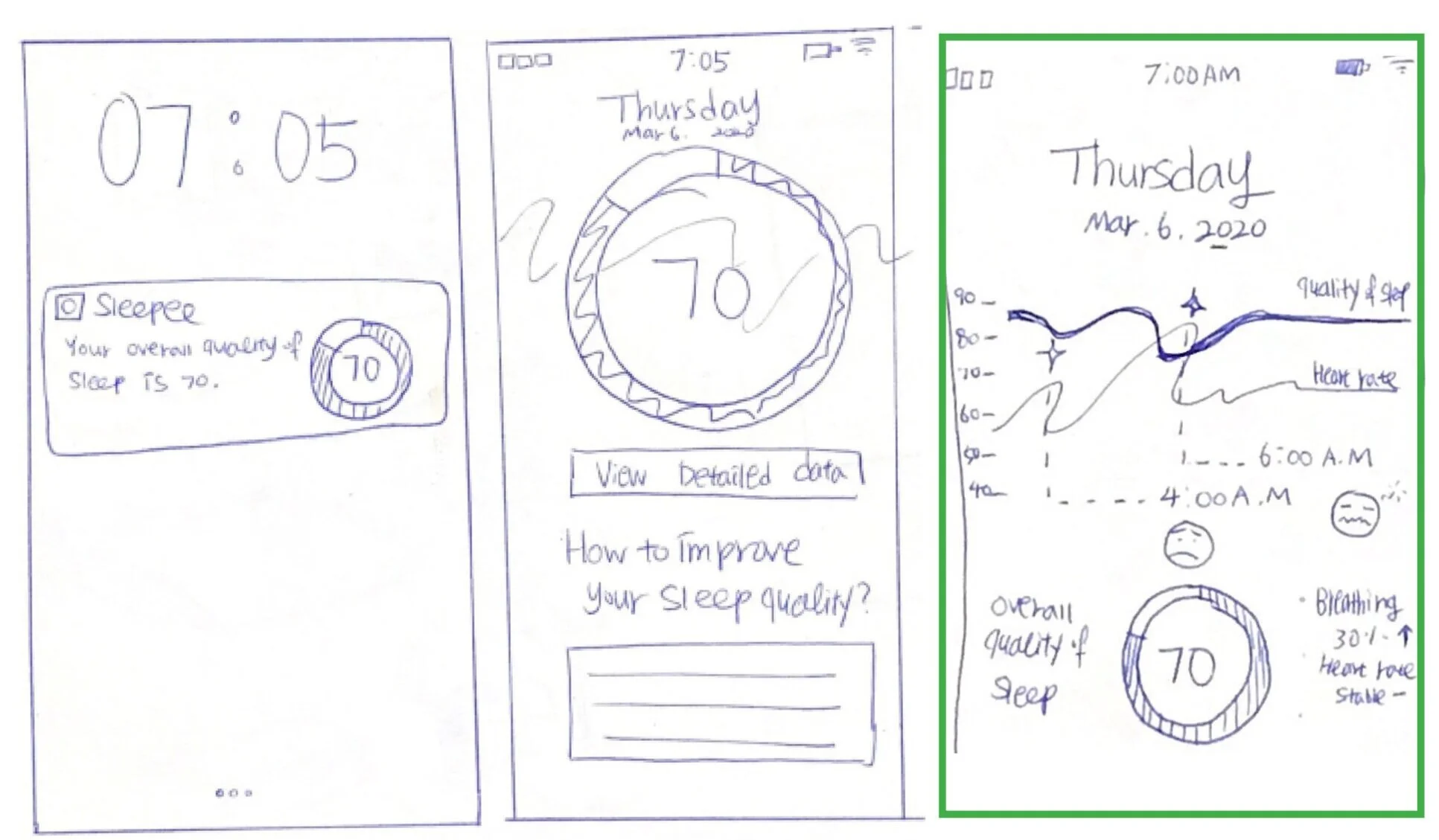
Every morning, user will receive notification to view their sleep insights.
These sleep insights would be from the biometric data received from the pillow
The app would display the overall sleep quality from last night and have suggestions on how to improve it.
The app would also show deeper insights if required by the user, like bpm and breathing patterns through the night.
NEXT STEPS
With our prototyping done and final design completed, the team had a lot of ideas as to where we could take this pillow next. Many of these were ideas thought of during ideation that didn't make the cut because it was out of our scope or just wasn’t possible to be executed with the time at hand.
REFINEMENT OF DESIGN
Further Testing would be great to further stress our prototype and see what people think of the onboarding and the reaction to their biometrics.
Branding was something that was lacking throughout the process, as we only thought of a temporary name during the final sketches. A calming visual identity would be good for this product and accompanying app.
ADDITIONAL FEATURES
Diagnosis of Sleep Issues is something we could not fully diagnose, but at least recommend to the user to ask their Doctor about worrying trends in biometrics or sleep patterns.
Sleepwalking could be prevented by the pillow recognizing when someone gets out of bed while still in sleep, and the connected speaker playing sounds that could safely and calmly wake them up before they could injure themselves while sleepwalking.
Nightmares/Night Terrors couldn't be prevented, but we could possibly wake the user out of one early if certain biometrics are detected, or to play calming music after they awake from one to help them settle and go back to sleep if possible.
FINAL THOUGHTS
With the prototype completed, testing done, and changes made, we completed this project. We developed SLEEPEE system which was well liked by all participating users.
We think this design has a lot of real-world potential, and during the final stages of ideation we kept thinking of things that would be great to add that we just did not have the resources to divulge.
INDEPENDENT PROJECT: